
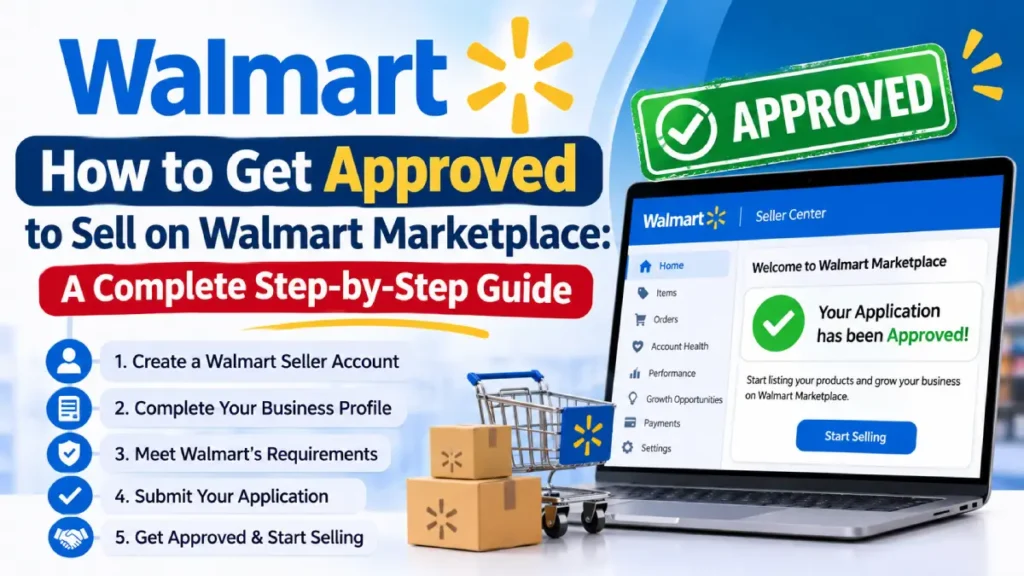
Introduction
Selling on Walmart Marketplace can be a great opportunity for businesses looking to reach millions of online shoppers. With an established customer base and a trusted retail brand behind it, Walmart offers sellers an opportunity to grow their businesses beyond their own websites and other online marketplaces.
However, getting started isn’t as simple as creating an account and uploading products. Walmart has a seller approval process designed to ensure that businesses meet its requirements, offer legitimate products, and provide a reliable shopping experience.
If you’re wondering how to get approved to sell on Walmart, you’re in the right place.
The good news is that you can improve your chances of approval by preparing the right documents, establishing a credible business presence, and understanding what Walmart expects from its sellers.
In this guide, we’ll explain Walmart Marketplace seller requirements, walk you through the application process, highlight common reasons applications get delayed or rejected, and share practical tips to help you prepare a stronger application.
Whether you’re an established ecommerce business or a growing online retailer, these steps will help you approach the Walmart seller application process with confidence.
Understand Walmart Marketplace Seller Requirements
Before applying, it’s important to understand what Walmart looks for in potential sellers.
Unlike some online marketplaces that allow almost anyone to register, Walmart uses a qualification process to evaluate businesses. Its goal is to work with sellers who can offer quality products, competitive pricing, and dependable customer service.
According to Walmart’s official Marketplace guidance, applicants generally need to meet several minimum qualifications.
Business Tax ID or Business License
One of the most important requirements is having a legitimate business identity.
Walmart requires a Business Tax ID or Business License Number. For US businesses, a Social Security Number (SSN) is not accepted as a substitute for the required business tax identification.
Your business information should be consistent across your application and supporting documents.
For example, if your registered business name is ABC Trading LLC, use that exact name wherever Walmart requests your legal business information.
Differences in spelling, abbreviations, or business addresses can create verification problems.
Business Name and Address Verification
Walmart needs documentation that confirms your business name and physical address.
Depending on your business structure and location, supporting documentation may include:
- Business registration documents.
- Tax registration documents.
- Business licenses.
- Bank statements or utility bills, where accepted.
- Other official documents requested during verification.
Make sure the information is current and matches your registration records.
History of Ecommerce or Marketplace Success
Walmart prefers sellers who can demonstrate experience operating an online business.
Previous ecommerce experience helps establish that you understand important responsibilities such as:
- Processing customer orders.
- Maintaining accurate inventory.
- Shipping products on time.
- Handling returns and refunds.
- Responding to customer inquiries.
- Managing product listings.
For example, if you already sell through Amazon, eBay, Shopify, or another established ecommerce platform, you may be able to demonstrate your business experience through your existing store.
You should be prepared to provide accurate information about your business operations if Walmart requests it.
Products With Valid GTINs or UPCs
Walmart expects sellers to offer identifiable products with appropriate product identifiers.
Many products require valid Global Trade Item Numbers (GTINs), including UPCs associated with legitimate GS1 company prefixes.
Before applying, review your product catalog and check that your identifiers are accurate.
Avoid using random UPCs or identifiers that belong to another company. Incorrect product information can create catalog problems later.
Compliant Product Catalog
Your products must comply with Walmart’s marketplace policies.
Walmart restricts certain products and product categories to protect customers and maintain marketplace standards.
Review the official Prohibited Products Policy before submitting your catalog.
Also make sure your products have accurate descriptions, legitimate sourcing, and appropriate supporting information.
Reliable US Fulfillment and Returns Capability
For sellers applying to the US Walmart Marketplace, fulfillment is another important consideration.
Walmart’s published requirements specify that sellers should have either:
- A business-to-consumer US warehouse with returns capability; or
- Access to Walmart Fulfillment Services (WFS).
You must also be able to meet Walmart’s Seller Performance Standards.
Having a clear fulfillment strategy before applying demonstrates that your business is prepared to handle customer orders.
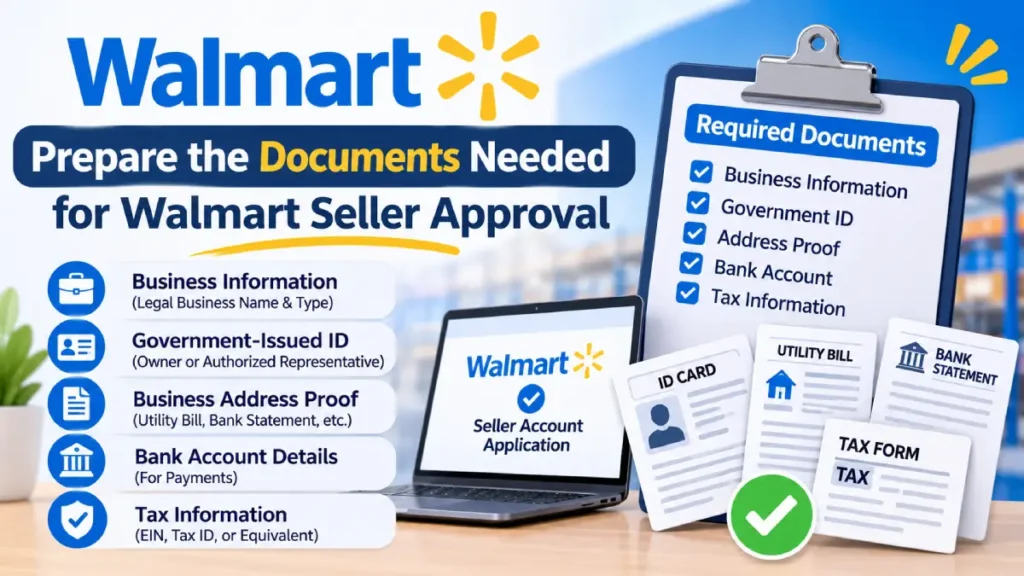
Prepare the Documents Needed for Walmart Seller Approval
One of the easiest ways to avoid unnecessary application delays is to organize your documents before starting the registration process.
Walmart uses business verification to confirm that applicants are legitimate businesses and that the information submitted is accurate.
Here are the main documents and details you should prepare.
Business Registration Information
Have your official business name, registration details, business address, and entity classification ready.
Your application should reflect the same information shown on your official business documents.
Tax Identification Information
Prepare the applicable business tax identification details for your country of incorporation.
For US businesses, this generally means providing the required business tax identification rather than an SSN.
International sellers may have additional country-specific documentation requirements.
Government-Issued Personal Identification
Walmart may request a copy of a government-issued personal ID from the applicant or authorized business representative.
Check that the identification is valid and that the details match your application.
Business Address Verification
Prepare documents that establish your business name and address.
Check the document dates and make sure the address is consistent with your business registration information.
Product and Catalog Information
You should also prepare basic details about the products you intend to sell, including:
- Product categories.
- Number of products or SKUs.
- Product identifiers.
- Product descriptions.
- Brand information.
- Product sourcing information, where applicable.
Having these details ready makes it easier to complete your application accurately.
Important: Walmart’s document requirements can vary depending on where your business is incorporated. Always follow the current instructions displayed in your seller application rather than assuming that every applicant needs identical documents.
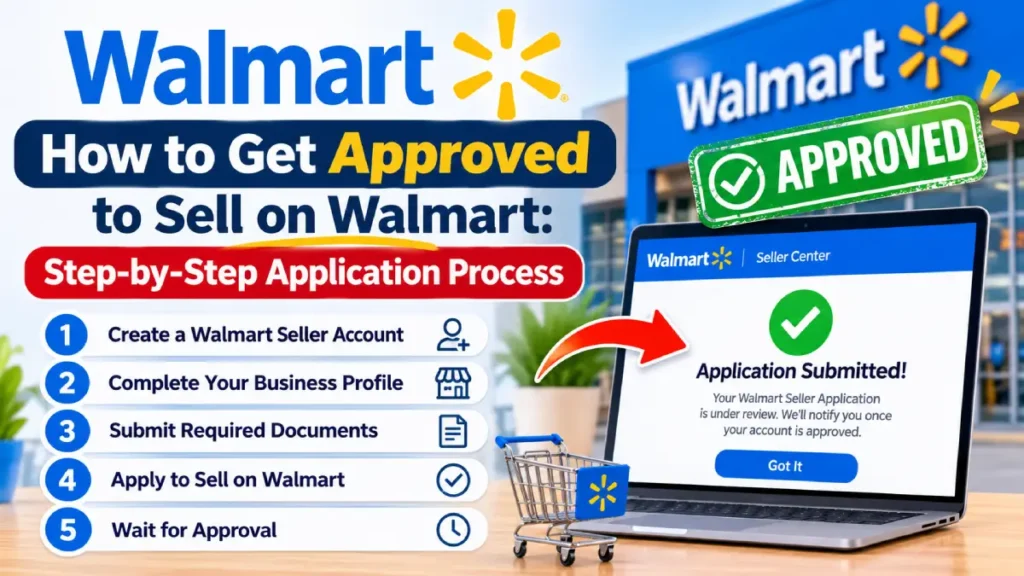
How to Get Approved to Sell on Walmart: Step-by-Step Application Process
Once your business meets the basic requirements and your documents are ready, you can begin the application process.
Here is how to apply to become a Walmart Marketplace seller.
Step 1: Visit the Walmart Marketplace Seller Registration Page
Start by visiting the official Walmart Marketplace website.
Navigate to the seller registration section and select the option to join Walmart Marketplace.
Use a professional business email address that you regularly monitor. Walmart may send important verification requests and onboarding updates to this address.
You can start here:
https://marketplace.walmart.com
Step 2: Create Your Seller Account
Enter your business email address and create a secure password.
Follow the registration instructions and provide the requested business information.
Make sure you enter accurate details, particularly your:
- Legal business name.
- Business address.
- Business entity type.
- Tax identification information.
- Contact details.
Avoid rushing through this section. Even small discrepancies can lead to additional verification requests.
Step 3: Complete Business Verification
Business verification is a crucial part of the Walmart seller application process.
Walmart reviews your business information and supporting documents to confirm your identity and business credentials.
You may need to submit personal identification, business registration details, and other supporting documents.
According to Walmart’s February 2026 seller registration guidance, verification can take anywhere from a few minutes to two business days, although additional review or documentation requests may extend the process.
If Walmart requests additional information, respond promptly and provide clear, accurate documents.
Step 4: Set Up Your Payment Information
After business verification, you’ll need to configure your payment arrangements.
Walmart uses third-party payment processors to facilitate seller payments.
The available payment providers may depend on your country of incorporation.
Follow the instructions in Seller Center to select an eligible provider, complete its registration process, and connect it to your Walmart account.
Keep in mind that new sellers may experience a New Seller Payment Hold after beginning to sell. The duration varies depending on the seller’s country of incorporation.
Step 5: Add Your Marketplace Details
Next, provide the information customers will use to identify and contact your business.
This generally includes:
- Your business display name.
- Customer service email address.
- Customer service telephone number.
Choose a professional display name that represents your business.
Also, make sure your customer support contact information is active. Customers should have a reliable way to reach you when they need help with an order.
Step 6: Configure Shipping and Returns
Walmart wants sellers to provide a dependable delivery and returns experience.
During onboarding, configure your shipping preferences and return settings.
You can consider two main fulfillment approaches:
Seller-managed fulfillment: You store inventory, process orders, pack products, and ship them to customers yourself.
Walmart Fulfillment Services (WFS): You send eligible inventory to Walmart fulfillment centers, where Walmart handles storage, picking, packing, and shipping.
Choose an approach that matches your inventory, budget, and operational capabilities.
Don’t promise delivery times that your business cannot consistently meet.
Step 7: Upload Your Product Catalog
The final major part of onboarding is setting up your product listings.
Walmart provides several ways to integrate your catalog, including:
- Seller Center listing tools.
- Bulk catalog uploads.
- API integrations.
- Approved third-party solution providers.
Your listings should contain accurate product titles, descriptions, images, identifiers, and other required attributes.
Review every listing before publishing to make sure it follows Walmart’s content and product policies.
Completing onboarding does not automatically mean every product is approved for publication. Walmart may apply additional item-level review requirements.
Practical Tips to Increase Your Chances of Walmart Seller Approval
Understanding how to get approved to sell on Walmart is only part of the process. You also need to present your business as a credible, well-organized operation.
Here are several ways to strengthen your application.
Build a Professional Ecommerce Presence
If you already operate an ecommerce store, make sure it looks professional and contains accurate business information.
Your website should ideally include:
- A clear About Us page.
- Business contact information.
- Customer service details.
- Product descriptions and images.
- Shipping and return policies.
- Secure checkout functionality.
A professional website helps establish your business identity and makes it easier to demonstrate your ecommerce experience.
Establish a Track Record of Online Sales
If you have experience selling on another marketplace, maintain records that demonstrate your business activity.
Useful evidence may include:
- Existing marketplace storefronts.
- Sales history.
- Customer feedback.
- Order fulfillment records.
- Business operating history.
Never fabricate sales figures or customer reviews. Walmart needs accurate information about your business.
Keep All Business Information Consistent
This is one of the most important application tips.
Your legal business name, tax details, and registered address should match your supporting documentation.
For example, if your tax registration lists your company as ABC Retail Solutions LLC, avoid entering ABC Retail in one section and ABC Retail Solutions in another unless the form specifically requests a trading or display name.
Consistency reduces the likelihood of unnecessary verification issues.
Choose Products Carefully
Don’t submit a catalog without checking whether your products meet Walmart’s requirements.
Focus on products that:
- Have legitimate sourcing.
- Include accurate product identifiers.
- Meet applicable safety and labeling requirements.
- Comply with Walmart’s prohibited products policy.
- Have sufficient inventory availability.
A smaller, well-organized catalog is often easier to prepare and manage than a large catalog containing incomplete product information.
Develop a Realistic Fulfillment Plan
Walmart values customer satisfaction.
Your business should have a practical strategy for processing orders, maintaining inventory, shipping products, and handling returns.
If you’re managing fulfillment yourself, make sure you have the resources to meet your delivery commitments.
If you’re using WFS, understand its eligibility, preparation, and inventory requirements before sending products to a fulfillment center.
Monitor Your Email and Seller Center
Don’t overlook messages from Walmart.
Verification requests, missing document notifications, and onboarding instructions may require action.
Check your email regularly, including spam and junk folders.
If you encounter a problem, use the Help option in Seller Center to contact Walmart Marketplace Support.
Common Reasons Walmart Seller Applications Get Delayed or Rejected
Even legitimate businesses can experience problems during the approval process.
Understanding common issues can help you avoid preventable mistakes.
Inaccurate Business Information
Mismatched business names, tax details, and addresses can prevent Walmart from verifying your information.
How to avoid it: Compare your application against your official business records before submitting it.
Incomplete Documentation
Missing documents or unclear copies can result in additional verification requests.
How to avoid it: Prepare all requested documents in advance and submit readable, current copies.
Limited Ecommerce Experience
Walmart looks for sellers who can demonstrate marketplace or ecommerce experience.
How to avoid it: Build a track record through a legitimate online store or established marketplace before applying, and be prepared to explain your operations.
Products That Violate Marketplace Policies
Restricted or prohibited products can create serious application and listing problems.
How to avoid it: Review Walmart’s product policies and verify that your proposed catalog is eligible.
Weak Fulfillment Capabilities
If you cannot demonstrate a workable US fulfillment and returns arrangement for the US marketplace, your application may not satisfy the stated requirements.
How to avoid it: Establish your fulfillment and returns strategy before submitting your application.
Ignoring Verification Requests
An application can remain incomplete if you fail to respond to Walmart’s requests for additional information.
How to avoid it: Monitor your account and email regularly and respond with the exact information requested.
What Happens After Walmart Approves Your Seller Application?
Getting approved is an important milestone, but it is only the beginning of your Walmart Marketplace journey.
After approval, you’ll need to complete the remaining onboarding steps and prepare your store for launch.
Complete Your Seller Center Setup
Seller Center is your main dashboard for managing your Walmart Marketplace business.
You can use it to:
- Manage product listings.
- Monitor orders.
- Configure shipping.
- Review account performance.
- Manage returns.
- Access reports.
- Contact support.
Take time to understand the dashboard before accepting customer orders.
Optimize Your Product Listings
Your product listings play an important role in attracting customers and generating sales.
Use descriptive product titles, high-quality images, relevant product attributes, and clear descriptions.
Include important product specifications and avoid exaggerated or unsupported claims.
For more insights into managing your store, optimizing product listings, and growing your sales, explore our complete guide to selling on Walmart Marketplace.
Maintain Competitive Pricing
Pricing affects both customer purchasing decisions and your ability to compete with other sellers.
Calculate your product costs carefully, including:
- Product sourcing.
- Shipping.
- Fulfillment.
- Referral fees.
- Returns.
- Advertising expenses.
Make sure your pricing supports a sustainable profit margin.
Maintain Strong Seller Performance
Walmart regularly evaluates seller performance.
Important operational areas include on-time delivery, order cancellations, seller responsiveness, shipping speed, and listing quality.
Monitor your performance metrics and resolve problems as quickly as possible.
A strong start can help establish customer trust and create a foundation for long-term growth.
Frequently Asked Questions
1. Is it hard to get approved to sell on Walmart?
Getting approved to sell on Walmart can be challenging because Walmart reviews each applicant’s business credentials, ecommerce experience, product catalog, and fulfillment capabilities. However, preparing accurate documents and meeting the seller requirements can improve your chances of approval.
2. What are the requirements to sell on Walmart?
To sell on Walmart Marketplace, you generally need:
- A valid Business Tax ID or Business License Number.
- Business verification documents.
- An established ecommerce or marketplace business.
- Products with valid GTINs or UPCs, where required.
- A reliable US fulfillment and returns solution for the US marketplace.
- The ability to meet Walmart’s seller performance standards.
Requirements may vary depending on your business location.
3. How do I get my Walmart seller account approved?
To get your Walmart seller account approved, visit the official Walmart Marketplace website, complete the seller registration form, submit your business and tax information, verify your identity, and complete the onboarding requirements. Make sure your business details and supporting documents are accurate and consistent.
4. How long does Walmart take to approve a seller account?
Walmart’s business verification process can take a few minutes to two business days, according to its published registration guidance. However, complete seller onboarding may take longer if additional documents, payment verification, or other information is required.
5. Can I sell on Walmart without an LLC?
Yes. Walmart does not require every seller to have an LLC. However, applicants must provide an eligible Business Tax ID or Business License Number and meet the applicable business verification requirements.
6. Does Walmart charge a fee to apply as a seller?
No. Walmart Marketplace does not charge a standard application, setup, or monthly subscription fee. Sellers generally pay referral fees on completed sales, with rates varying by product category.
7. Can international sellers apply to Walmart Marketplace?
Yes. Walmart accepts applications from eligible international businesses in supported countries. International sellers must meet country-specific business verification, tax, payment, and fulfillment requirements.
8. What should I do if Walmart rejects my seller application?
Review Walmart’s rejection notification to identify the issue. Correct any missing or inaccurate information, gather the required supporting documents, and contact Walmart Marketplace Support if clarification is needed. Avoid submitting another application until you understand the reason for rejection.
Conclusion: Prepare First, Apply Once
Getting approved to sell on Walmart comes down to preparation. Match every business detail, bring proof of your sales history, use genuine barcodes, keep your catalog compliant and show that you can ship and handle returns. Sellers who do this usually get through verification faster and avoid the rejection loop.
Need help getting approved? eCommerce Apex can review your documents, prepare your application and set up your Walmart store after approval. Talk to our team or explore our Walmart account management services.