Introduction
Starting an online business sounds exciting until you face the practical challenges: building a website, managing products, accepting payments, tracking orders, and finding customers. Handling all these tasks separately can quickly become expensive and overwhelming, especially for beginners and small business owners.
That’s where Shopify comes in.
If you’ve been researching eCommerce platforms, dropshipping businesses, or ways to sell products online, you’ve probably encountered the name Shopify. But what is a Shopify, exactly, and why do so many entrepreneurs use it to run their online businesses?
Shopify is more than a website builder. It provides a connected system for creating an online storefront, managing inventory, processing orders, accepting payments through supported providers, and selling across multiple channels.
Whether you’re planning to launch your first digital storefront, expand an existing retail business, or experiment with dropshipping, understanding how Shopify works can help you make a more informed decision.
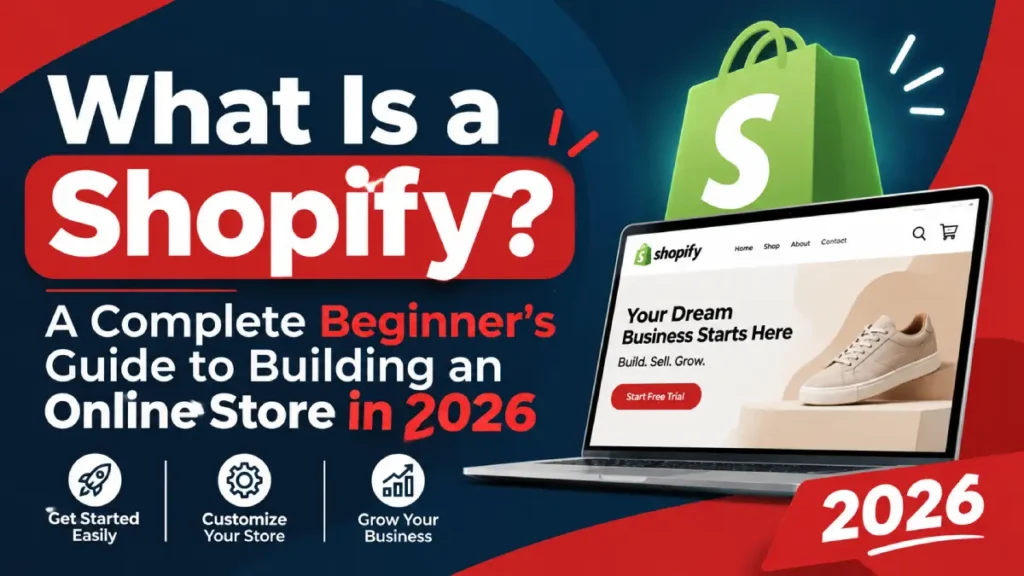
In this guide, we’ll explain what Shopify is, how its technology works, its essential features, potential costs, advantages and disadvantages, and the steps involved in launching a store. You’ll also discover whether Shopify is the right platform for your business model.
Quick Summary: What Is a Shopify?
Shopify is a cloud-based eCommerce platform that allows individuals and businesses to create online stores, showcase products, accept payments through supported payment providers, and manage orders and inventory. It also supports in-person selling and multiple sales channels, making it easier for entrepreneurs to operate and grow a retail business without building an entire eCommerce system from scratch.
What Is Shopify?
Shopify is a subscription-based commerce platform designed to help businesses sell products and services online and in person.
Instead of purchasing separate hosting, installing eCommerce software, configuring a shopping cart, and connecting multiple management systems, merchants can use Shopify’s integrated tools to operate their businesses from one platform.
Think of Shopify as the central operating system for an online store.
It provides the infrastructure needed to display products, manage customer purchases, monitor inventory, and coordinate important business activities.
What Can You Sell on Shopify?
Shopify supports several business models and product categories, including:
- Physical products: Clothing, electronics, beauty products, accessories, furniture, and home goods.
- Digital products: E-books, templates, downloadable guides, software, and educational resources.
- Services: Consulting, appointments, coaching, and certain bookable services through suitable integrations.
- Subscription products: Recurring product deliveries and membership offerings using compatible subscription solutions.
- Dropshipping products: Items sold through your storefront and fulfilled by third-party suppliers.
- Print-on-demand products: Custom-designed clothing, mugs, posters, and accessories produced when customers place orders.
For example, a small clothing business can use Shopify to display its collections, manage different sizes and colors, receive customer orders, and monitor stock levels.
A dropshipping entrepreneur can connect supplier applications to import products and coordinate order fulfillment without maintaining a traditional warehouse.
The platform accommodates different business sizes, from independent sellers to established international retailers.
Is Shopify a Marketplace?
No. This is an important distinction.
A marketplace, such as Amazon or eBay, provides a shared platform where multiple sellers list products for shoppers.
Shopify primarily gives businesses the tools to operate their own branded storefronts. You control your website’s presentation, product listings, brand identity, and customer experience, subject to the platform’s terms and applicable laws.
That means Shopify provides the store infrastructure, but attracting customers remains your responsibility.
What Is a Shopify Store?
A Shopify store is an online storefront created using Shopify’s eCommerce platform. It is the digital shop where customers can discover products, browse collections, view prices, add items to their shopping carts, and complete purchases.
Unlike traditional marketplaces, a Shopify store allows business owners to create their own branded shopping experience. They can customize the website’s appearance, organize product categories, display product information, and connect supported payment providers.
For example, a clothing brand can create a Shopify store to showcase its collections, display different sizes and colors, and accept orders from customers in different countries, depending on its shipping and payment availability.
A Shopify store can support several business models, including:
- Retail stores: Selling physical products directly to customers.
- Dropshipping stores: Selling products fulfilled by third-party suppliers.
- Digital stores: Offering eBooks, templates, and downloadable products.
- Print-on-demand stores: Selling customized merchandise.
- Service-based stores: Offering appointments, consultations, and other services through suitable integrations.
In simple terms, Shopify is the platform, while a Shopify store is the individual online shop a business creates using that platform.
Explore our professional Shopify Services for expert store development, customization, SEO, and ecommerce solutions to grow your online business.
How Does Shopify Work?
Understanding how Shopify works is relatively simple.
Shopify operates through a hosted cloud-based system. You access your store through an internet browser or compatible application, while Shopify manages much of the underlying technical infrastructure.
You don’t need to configure a traditional web server or manually install an eCommerce application to get started.
How the Shopify Selling Process Works
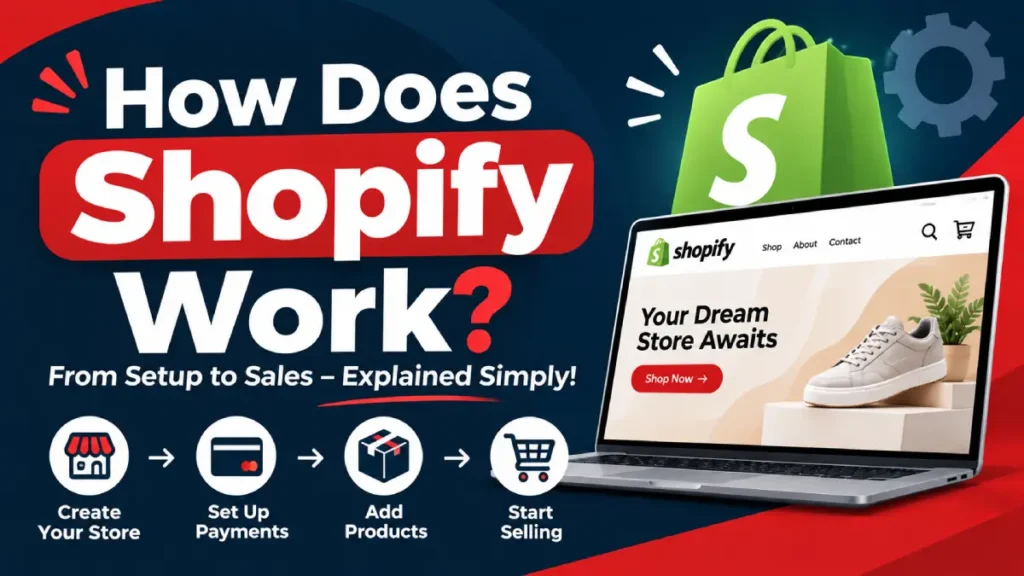
Here is a simplified example of how a typical Shopify transaction happens:
- Create an account: Register with Shopify and select the appropriate store setup options.
- Build your storefront: Choose a theme, customize your design, and organize your website pages.
- Add products: Upload product photographs, descriptions, prices, variants, and inventory information.
- Configure payments: Activate Shopify Payments where available or connect another supported payment provider.
- Set shipping and delivery: Configure shipping rates, delivery options, taxes, and relevant fulfillment settings.
- Publish your store: Connect a domain and make your storefront accessible to customers.
- Receive orders: Customers browse your products, add items to their carts, and complete checkout.
- Fulfill purchases: Process orders, arrange shipping or digital delivery, and update order statuses.
- Monitor performance: Use analytics and reports to understand sales, customer behavior, and business performance.
- Customer service: The business manages customer questions, returns, and other post-purchase requirements.
What Happens When a Customer Places an Order?
Imagine someone purchases a $50 product from your Shopify store.
The customer visits your website, selects the product, enters delivery information, and completes checkout using an available payment method.
The payment provider processes the transaction according to its payment rules. Shopify records the order and makes it available in your administrative dashboard.
You can then prepare the item, arrange delivery, provide tracking information, and manage customer communication.
Your actual profit will depend on product costs, shipping, payment processing fees, advertising, taxes, and other operating expenses.
This distinction matters: Shopify simplifies the selling process, but it does not automatically make every transaction profitable.
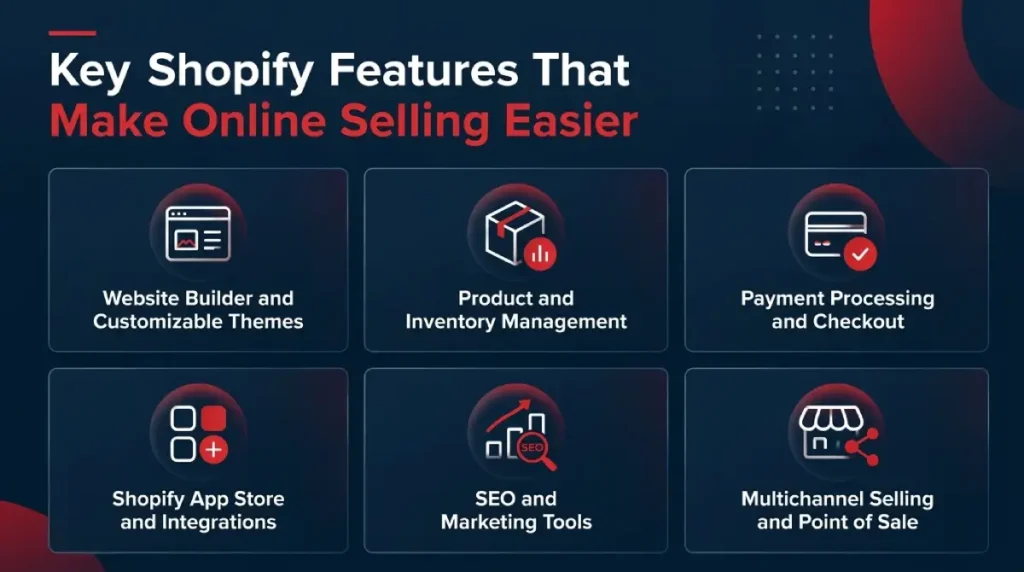
Key Shopify Features That Make Online Selling Easier
One reason Shopify is popular is its combination of storefront design, commerce management, and business tools.
Here are the most useful features to understand before launching your store.
Website Builder and Customizable Themes
Shopify provides customizable themes that help merchants create professional-looking storefronts without advanced programming knowledge.
You can modify elements such as:
- Homepage layouts.
- Product pages.
- Navigation menus.
- Fonts and colors.
- Collection pages.
- Promotional banners.
- Mobile layouts.
You can also explore additional customization through Shopify’s theme development capabilities and compatible applications.
Practical tip: Choose a lightweight, mobile-friendly theme and prioritize product images, navigation, and checkout usability. An attractive website is valuable, but a confusing shopping experience can reduce conversions.
Product and Inventory Management
Shopify provides tools for organizing products, managing variants, and monitoring inventory.
For example, a footwear business can create one product with multiple sizes and colors rather than building a separate product page for every variation.
Inventory information can also be updated as orders are processed.
This is especially useful when a business sells through both physical and online channels.
Payment Processing and Checkout
Shopify supports online checkout and payment integrations.
Shopify Payments is available in eligible countries and regions, allowing merchants to manage supported payment methods through Shopify.
Where Shopify Payments is unavailable, merchants may need to connect an alternative payment provider.
Available payment methods, processing fees, and transaction costs vary by location and provider.
Shopify App Store and Integrations
The Shopify App Store offers additional functionality for businesses that need more than the platform’s standard features.
Common application categories include:
- Email marketing and automation.
- Dropshipping and supplier management.
- Search engine optimization.
- Product reviews.
- Customer support.
- Subscription management.
- Shipping and fulfillment.
- Accounting and reporting.
For example, a growing store might integrate an email marketing application to recover abandoned carts and send personalized product recommendations.
However, installing too many applications can increase expenses and negatively affect storefront performance. Choose integrations based on measurable business needs.
SEO and Marketing Tools
Shopify includes several features that help merchants improve their visibility in search engines.
These include customizable page titles, meta descriptions, URLs, image alternative text, and sitemap functionality.
You can also connect external marketing and analytics tools to monitor traffic and campaign performance.
Remember that having an SEO-friendly platform does not guarantee high Google rankings. Content quality, website performance, product relevance, backlinks, competition, and user experience still matter.
Multichannel Selling and Point of Sale
Shopify supports selling through different channels, including online storefronts and compatible social commerce integrations.
Its Point of Sale (POS) capabilities also help eligible businesses manage in-person retail transactions.
This creates an opportunity for a retailer to coordinate online and physical selling operations within a connected commerce environment.
Shopify Pricing: How Much Does It Cost?
Shopify is not entirely free. It operates through paid subscription plans, with additional expenses depending on your business requirements.
Shopify Plan Comparison (USD, Approximate)
| Plan | Monthly Billing | Annual Billing (per month) | Staff Accounts | Best For |
|---|---|---|---|---|
| Starter | ~$5 | N/A | Minimal | Social sellers testing demand |
| Basic | ~$39 | ~$29 | Owner only | New online stores |
| Grow | ~$105 | ~$79 | Up to 5 | Stores with steady sales |
| Advanced | ~$399 | ~$299 | Up to 15 | High-volume, international sellers |
| Plus | From ~$2,300 | Contract-based | Unlimited | Enterprise brands |
The total cost of running a store can include:
- Monthly subscription charges.
- Domain registration.
- Premium themes.
- Paid applications.
- Payment processing fees.
- Additional transaction fees where applicable.
- Marketing and advertising.
- Shipping and fulfillment.
- Product sourcing and inventory.
Shopify Cost Comparison
| Expense | What It Covers | Is It Required? |
|---|---|---|
| Shopify subscription | Access to the commerce platform | Yes, for an ongoing paid store |
| Domain name | Your branded website address | Recommended |
| Free theme | Basic storefront design | No additional cost |
| Premium theme | Additional design options | Optional |
| Paid apps | Advanced store functionality | Optional |
| Payment processing | Handling customer transactions | Depends on payment provider |
| Marketing | Advertising and customer acquisition | Not technically required, but important |
| Product inventory | Products you sell | Depends on business model |
Which Shopify Plan Should You Choose?
Shopify offers different subscription options designed for different business requirements. Plan names, features, and pricing may change, so check the official pricing page before making a purchase.
Generally:
- Entry-level options: Suitable for individuals and small businesses testing an online selling model.
- Growing business plans: Appropriate for businesses requiring additional staff access, reporting, and operational capabilities.
- Advanced plans: Designed for larger operations that need more sophisticated reporting and business features.
- Enterprise solutions: Intended for businesses with complex commerce requirements and larger-scale operations.
Official pricing and plan details: https://www.shopify.com/pricing
Important: Don’t select a subscription simply because it offers more features. Start with the capabilities you actually need and upgrade when your business requirements justify the additional expense.
Shopify vs. Other eCommerce Platforms: Which Is Better?
Shopify is not the only way to build an online store.
Platforms such as WooCommerce, Wix, and BigCommerce offer alternative approaches to eCommerce.
The right option depends on your technical experience, budget, business model, and desired level of control.
Shopify vs. WooCommerce vs. Wix vs. BigCommerce
| Feature | Shopify | WooCommerce | Wix | BigCommerce |
|---|---|---|---|---|
| Platform type | Hosted commerce platform | WordPress eCommerce plugin | Hosted website builder | Hosted commerce platform |
| Ease of setup | Beginner-friendly | Requires more configuration | Beginner-friendly | Moderate |
| Hosting | Included | Arranged separately | Included | Included |
| Customization | Themes, apps, and code | Extensive WordPress customization | Visual website editor | Themes, apps, and APIs |
| Maintenance | Much of the infrastructure is managed | More merchant responsibility | Much of the infrastructure is managed | Much of the infrastructure is managed |
| Best suited for | Businesses prioritizing integrated commerce | Users wanting WordPress flexibility | Smaller businesses needing website simplicity | Businesses with broader commerce requirements |
Which Platform Should You Choose?
Choose Shopify if you want a commerce-focused platform with managed hosting, integrated store management, and an extensive application ecosystem.
Choose WooCommerce if you already use WordPress or want greater control over your website’s technical configuration.
Choose Wix if your main priority is building a straightforward website with eCommerce functionality.
Consider BigCommerce if its built-in commerce capabilities and business features better match your operational requirements.
There is no universally superior platform. A small business selling 20 products has different requirements from an international retailer managing thousands of products and multiple sales channels.
Advantages and Disadvantages of Shopify
Shopify offers several benefits for ecommerce businesses, but it also has limitations. Understanding both sides helps you choose the right platform for your business.
Advantages of Shopify
- Beginner-Friendly: An intuitive dashboard and ready-made themes make store creation easy without coding skills.
- Managed Hosting: Hosting, security, and platform maintenance are handled by Shopify.
- Multiple Sales Channels: Sell through your online store, social media, and supported marketplaces.
- Flexible Integrations: Add functionality through apps and third-party integrations.
- Built-in Ecommerce Tools: Manage products, inventory, orders, and payments from one dashboard.
- Scalability: Supports businesses ranging from startups to established retailers.
Disadvantages of Shopify
- Monthly Subscription: Ongoing subscription fees increase operating costs.
- Paid Applications: Advanced features may require additional app subscriptions.
- Transaction Fees: Payment processing and applicable third-party transaction fees can affect profit margins.
- Limited Infrastructure Control: Shopify manages hosting, leaving merchants without direct server-level control.
- Advanced Customization: Complex design changes may require knowledge of Liquid, CSS, or JavaScript.
Is Shopify Worth It?
Yes, Shopify is a strong option for entrepreneurs who want an easy-to-manage, scalable ecommerce platform. However, businesses with tight budgets, extensive customization requirements, or a preference for complete server control should compare alternatives such as WooCommerce before deciding.
How to Start a Shopify Store?
Starting a Shopify store involves choosing a business model, creating an account, selecting a suitable theme, and configuring the essential features needed to sell products online.
If you’re planning to launch your own eCommerce business, read our detailed guide on How to Start a Shopify Store to learn the complete process of creating, configuring, and launching your online store.
Frequently Asked Questions
1. What is Shopify used for?
Shopify is used to create and manage online stores, sell physical and digital products, process customer orders, manage inventory, and coordinate payments through supported providers. Businesses can also use it for in-person retail sales through compatible Point of Sale solutions.
2. How Much Does Shopify Take From a $100 Sale?
Shopify’s charges depend on your subscription plan and payment provider. For example, a 2% third-party transaction fee would equal $2 on a $100 eligible sale, excluding payment processing fees and other applicable charges.
3. Is Shopify Like Amazon?
No. Shopify allows businesses to create their own branded online stores, while Amazon is an online marketplace where multiple sellers list products. Shopify offers greater control over branding and store design, whereas Amazon provides access to an established marketplace audience.
4. Is Shopify free to use?
Shopify is not permanently free. It may offer promotional trials or introductory offers, depending on the market and current promotion. Running an ongoing store generally requires a paid subscription. Additional expenses may include domains, applications, payment processing, and marketing.
5. Can beginners make money with Shopify?
Yes. Beginners can build profitable businesses using Shopify, provided they choose products with genuine demand, understand their costs, attract customers, and deliver a positive shopping experience.
However, Shopify does not guarantee sales or profits. Business success depends on product selection, pricing, marketing, customer service, and operational execution.
6. Can I use Shopify in any country?
Shopify is available to merchants in many countries worldwide. However, individual services, payment gateways, shipping integrations, and features vary by location. Businesses should check payment provider eligibility and local legal requirements before launching.
7. Do I need coding skills to use Shopify?
No. Most beginners can build and operate a basic Shopify store without programming knowledge. The platform provides customizable themes, visual editing tools, and applications that simplify common eCommerce tasks.
Coding knowledge can be useful for advanced customization, but it is not a requirement for launching a standard online store.
Conclusion: Is Shopify Right for Your Business?
Shopify is a flexible eCommerce platform that simplifies online selling through its integrated tools for product management, payments, and store customization. Whether you’re a beginner, small business owner, or dropshipping entrepreneur, it offers a practical solution for managing your online business.
Understanding how Shopify works can help you make an informed decision and choose the right platform for your business goals.
Ready to explore eCommerce? Visit Shopify to discover its features, compare plans, and take the next step toward building your online business.