
You open Seller Central to check yesterday’s sales, and instead there’s a notice saying your selling privileges have been removed. Listings gone. Orders stopped. Money possibly on hold.
If you’re dealing with an amazon suspended seller account, take a breath. The situation can feel overwhelming, but many sellers successfully recover a suspended amazon account by identifying the actual issue, providing genuine evidence, and submitting a clear appeal.
In this guide, you’ll learn what a suspension actually means, the seven most common reasons it happens, a step-by-step recovery process, how to write a Plan of Action, and when it makes sense to bring in professional help.
What Does a Suspended Amazon Seller Account Mean?
A suspended Amazon seller account means Amazon has restricted your ability to sell because of a policy concern, performance issue, verification requirement, or another account-related problem.
Depending on the situation, Amazon may remove individual listings, restrict selling privileges, ask for more documents, or deactivate the entire account.
Can you recover a suspended Amazon seller account? Yes, reinstatement may be possible if you fix the issue Amazon identified and provide the explanation or evidence it asks for. It is never guaranteed, though, and some serious violations lead to permanent deactivation.
Start by checking these four places:
- Performance Notifications: The message explaining the action Amazon took.
- Account Health: Policy violations and the next steps Amazon offers.
- Seller Central: Whether Amazon wants invoices, ID documents, a Plan of Action, or other proof.
- Your registered email: Extra instructions and deadlines, sometimes in the spam folder.
Read the notice closely. Your appeal has to answer the violation Amazon actually names, not the one you assume it meant.
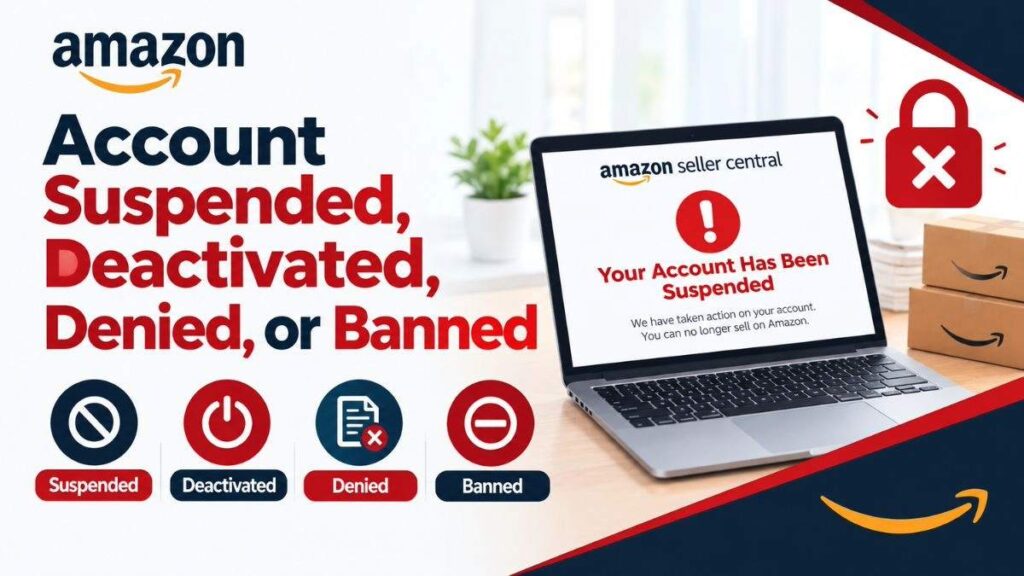
Account Suspended, Deactivated, Denied, or Banned: What’s the Difference?
An amazon seller account deactivated notice can mean your selling privileges have been removed while Amazon investigates a policy, performance, or verification issue. The exact meaning depends on the notification you receive.
- Account suspended: Amazon has temporarily removed some or all of your selling privileges while the issue is reviewed or fixed. This is the most common term, and an appeal is usually possible.
- Account deactivated: Amazon has turned off your selling account. Many sellers see this wording in the notice itself, and it is often used for the same situation as a suspension. Check the notice for the exact reason and appeal instructions.
- Account denied: This usually happens when Amazon can’t approve your registration or verification, for example because your identity, address, or business documents didn’t pass review. The fix is often corrected documents rather than a Plan of Action.
- Account ban: This is an informal word. Sellers usually mean a permanent deactivation, where Amazon has made a final decision. Some of these can still be appealed, but reinstatement is much harder, and you should never open a new account to get around it.
Whichever term appears in your message, start the same way: read the notice, find the exact reason, and respond to that reason with facts and evidence.
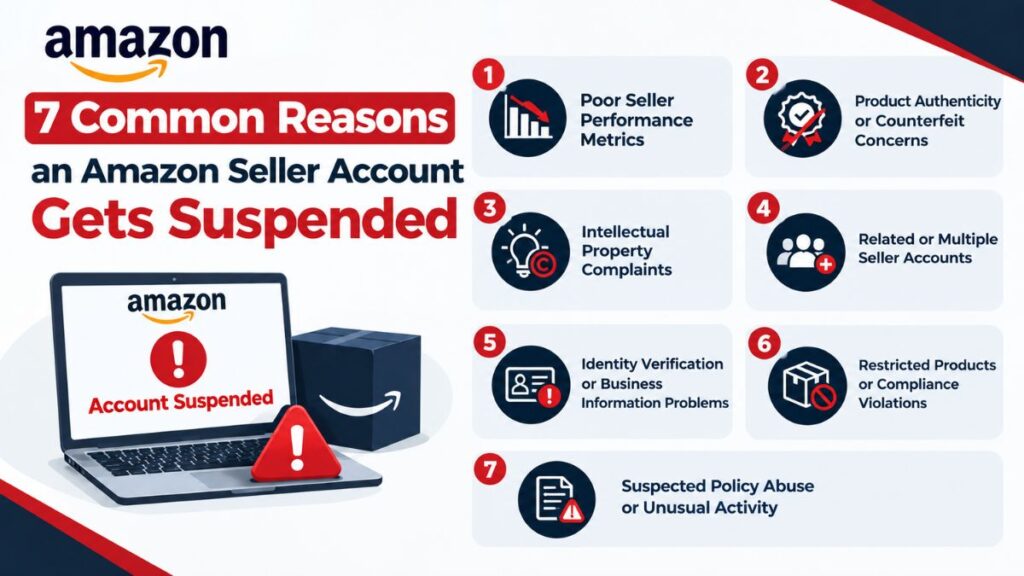
7 Common Reasons an Amazon Seller Account Gets Suspended
Understanding why amazon suspended seller account privileges is the first step toward resolving the issue. Different violations require different corrective actions, explanations, and supporting documents.
1. Poor Seller Performance Metrics
Amazon watches customer experience and fulfillment closely. Repeated late shipments, seller cancellations, order defects, and unresolved complaints can put your account at risk. A seller who keeps cancelling orders because stock ran out before the listing was updated is a typical example.
How to address it: Open your performance dashboard, find the metrics that triggered the warning, and explain what you changed. Better inventory forecasting, a faster shipping routine, and tighter order handling are the kinds of fixes reviewers want to see.
2. Product Authenticity or Counterfeit Concerns
Customers can report a product as fake, or you may be unable to show where your stock came from. Even if everything you sell is genuine, you might still have to prove it.
How to address it: Gather real supplier invoices, purchase records, and supplier contact details. Make sure the documents match the products, quantities, and business details in the case. Never create or alter an invoice. Inaccurate paperwork can turn a fixable problem into a permanent one.
3. Intellectual Property Complaints
Trademark, copyright, and patent complaints can lead to listing removals and sometimes full deactivation. Common triggers include using a protected brand name incorrectly, uploading photos you don’t have rights to, or selling an item someone says infringes their rights.
How to address it: Find out exactly which complaint was filed and which listing it targets. Depending on the case, you may need authorization, proof of ownership, or a valid license. Changing a product title alone rarely solves an underlying dispute.
4. Related or Multiple Seller Accounts
Amazon can link accounts through shared ownership, business details, or other signals. A violation on one account can spill onto another. This is especially confusing if you run more than one legitimate business or don’t recognize the account named in the notice.
How to address it: Review Amazon’s multiple-account policy and work out which account caused the original problem. If the connection is legitimate, explain it honestly. If Amazon linked you by mistake, show evidence of why. Opening a new account to dodge a suspension only makes things worse.
5. Identity Verification or Business Information Problems
Sometimes nothing was “done wrong.” Amazon just can’t verify who you are. Mismatched names, addresses, or business details between Seller Central and your documents can freeze an account.
How to address it: Provide exactly the documents requested, clear, current, and consistent. If Amazon asks for a video verification or another specific process, follow the instructions in your account.
6. Restricted Products or Compliance Violations
Some products need approvals, safety documents, or special labeling. Selling them without meeting the requirements can lead to listing removal or account action.
How to address it: Read the product policy tied to your notice, spot the missing approval or document, and fix or remove the noncompliant listing. If Amazon offers a route to submit the required evidence, use it.
7. Suspected Policy Abuse or Unusual Activity
Amazon investigates behavior it sees as deceptive or manipulative, such as review manipulation, misuse of selling privileges, or suspicious changes to account details.
How to address it: Investigate what the notice describes and answer with facts and evidence. If a freelancer, employee, or third-party tool caused the problem, say so plainly and explain the controls you’ve added since.
What to Do in the First 24 Hours
If my amazon seller account is suspended, the first 24 hours are important. Avoid rushing into an appeal and focus on understanding Amazon’s notice, identifying the violation, and collecting relevant evidence.
- Don’t send a rushed appeal. A panicked, vague first message can hurt you later.
- Copy the exact violation, along with any ASINs or order numbers mentioned.
- Stop any risky activity you suspect played a part.
- Start gathering paperwork: invoices, tracking records, supplier details, product photos.
- Do not open a second account. That can get you banned for evading the suspension.
How to Reactivate a Suspended Amazon Seller Account: Step by Step
Learn how to reactivate suspended Amazon seller account by identifying the issue, preparing documents, and submitting an effective appeal.
Step 1: Read the Suspension Notice Carefully
When your amazon seller central account suspended notification arrives, sign in to Seller Central and navigate to Performance → Account Health. Review the notice carefully to identify the cited policy, requested documents, and available appeal instructions.
New to the dashboard? Our beginner’s guide to Seller Central shows where to find Account Health and your notifications.
Step 2: Find the Root Cause
Ask yourself:
- What happened, and why?
- Which products, orders, or processes were affected?
- What evidence supports my explanation?
- What change will stop it from happening again?
Be specific. “We made a mistake” explains nothing. “Our inventory sync failed for three days, so we accepted orders we couldn’t ship” does.
Step 3: Collect Supporting Documents
Depending on your case, that may include supplier invoices, brand authorization letters, shipping and tracking records, identity or business documents, or product compliance papers. Check the format and date range Amazon asks for, and submit only genuine, relevant documents.
Step 4: Write a Clear Plan of Action
An effective amazon seller account suspension appeal process usually requires a clear Plan of Action (POA). It should explain the root cause, the corrective actions already completed, and the preventive measures introduced to avoid future violations.
- Root cause: The real reason it happened.
- Corrective actions: What you’ve already fixed.
- Preventive measures: The ongoing checks, training, or process changes that lower the risk.
Step 5: Submit Your Appeal in Seller Central
Submitting an amazon seller account suspended appeal requires following the instructions provided in Seller Central. Include your Plan of Action and any requested supporting documents, ensuring all information is accurate and consistent.
- Every question is answered.
- The explanation addresses the cited violation.
- Your documents are clear and consistent with each other.
- The corrective actions are actually finished, not just planned.
Save a copy of everything you send.
Step 6: Watch for Amazon’s Response
After submitting your appeal, monitor your amazon seller account suspended review status through Seller Central and your registered email. Amazon may approve your appeal, reject it, or request additional information.
Step 7: Strengthen Your Account After Reinstatement
Getting your privileges back is only half the job. Build a routine: check Account Health daily, monitor fulfillment, keep supplier records organized, and review policy updates. A reinstated account tends to get more scrutiny, so clean habits matter.
How to Write an Effective Suspension Appeal
A successful amazon seller suspension appeal should be factual, specific, and supported by genuine evidence. Your explanation must address the actual violation rather than relying on generic statements or promises.
Root cause: Our review found a gap in how we tracked inventory. Stock counts weren’t syncing reliably with available units, which led to fulfillment delays.
Corrective actions: We checked the affected orders, corrected the inventory records, and updated our order workflow.
Preventive measures: We now run daily inventory checks, have one person assigned to pending orders, and review shipping performance every week.
Supporting evidence: The order and shipment records requested for this case are attached.
An authenticity case, an IP complaint, and a verification hold would each need a different answer and different proof.
Appeal Mistakes That Cost Sellers Time
- Sending a generic appeal. Name the real issue.
- Blaming Amazon with no evidence. If you think the decision is wrong, show facts.
- Making promises instead of changes. Describe what you did, not what you’ll try.
- Ignoring requested documents. Follow the notice.
- Giving details that don’t match your records. Reviewers notice.
- Resubmitting the same text. Change something meaningful first.
- Using fabricated documents. Always send authentic evidence.
The goal isn’t to sound impressive. It’s to show you understand the concern and have dealt with it.
Suspended Amazon Seller Accounts: Notes for U.S. Sellers
For Amazon.com sellers, suspensions often result from sourcing issues, missing paperwork, or product compliance problems. Professional Amazon seller account reinstatement services can help resolve complex cases, but always choose an experienced and transparent provider.A reliable amazon seller reinstatement professional can review your suspension, organize evidence, and prepare a tailored Plan of Action.
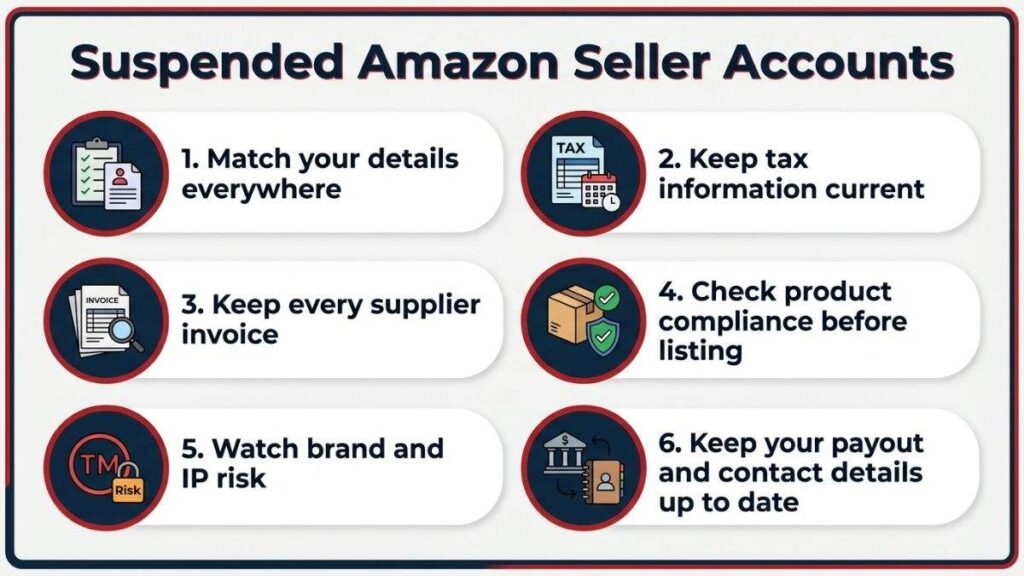
- Match your details everywhere. Your legal name, business name, address, and tax information should line up across your government ID, bank account, credit card, and Seller Central profile. Small differences, like “LLC” missing from a name, can stall verification.
- Keep tax information current. Make sure the tax details on file (SSN or EIN) match your business structure, and update them if you change from sole proprietor to LLC or similar.
- Keep every supplier invoice. If you resell through retail arbitrage, wholesale, or distributors, save invoices that show the supplier’s name, address, and contact details, plus item descriptions and quantities. Authenticity complaints are much easier to answer with clean paperwork.
- Check product compliance before listing. Categories such as supplements, cosmetics, children’s products, and electronics can come with federal safety or labeling requirements. Amazon may ask for test reports or other documentation.
- Watch brand and IP risk. If you resell branded goods, know whether the brand restricts resellers or gates its listings, and take rights-owner complaints seriously from the first one.
- Keep your payout and contact details up to date. An outdated bank account or an email you no longer check can cost you time when a deadline is running.
Best Practices to Prevent Account Suspension
Getting reinstated is only half the job. The best way to deal with a suspended Amazon seller account is to avoid a second one. These habits lower your risk:
- Check Account Health every day. A small dip caught early is easy to fix. The same dip ignored for weeks can become a suspension.
- Buy from authorized suppliers and keep every invoice. Make sure the supplier’s name, address, and contact details are visible, and store the files where you can find them fast.
- Keep inventory accurate. Sync your stock across channels so you don’t accept orders you can’t ship.
- Ship on time and use valid tracking. Late shipments and missing tracking are among the easiest ways to damage your metrics.
- Answer buyer messages quickly. A fast, polite reply often settles a problem before it turns into a complaint or claim.
- Write honest listings. Accurate photos, titles, and descriptions reduce “not as described” complaints.
- Follow review and feedback rules strictly. Use only Amazon’s approved tools to ask for reviews, and never pay for or manipulate them.
- Check product compliance before you list. Confirm whether a product needs approval, safety testing, or special labeling.
- Respect brands and intellectual property. Don’t use brand names or images you have no right to, and deal with rights-owner complaints right away.
- Keep your account information current. Your ID, address, bank details, and contact email should always match what’s in Seller Central.
- Limit and train anyone with account access. If a team member or agency makes a mistake under your account, you’re the one who answers for it.
- Stay up to date on policy changes. Review Amazon’s seller policy updates and notifications regularly.
If a tactic feels like it’s gaming the system, treat that as a warning sign and skip it.
Some suspensions start with a restricted product. Choose your products carefully and check category requirements first.
Should You Hire an Amazon Account Reinstatement Service?
Some cases are manageable on your own. Others, especially those involving several violations, authenticity concerns, linked accounts, or detailed document requests, are easier with someone who handles them regularly. A good service can help you read the notice, organize evidence, spot gaps in your explanation, and structure the appeal.
Before you pick a provider, check whether it:
- Explains its recovery strategy clearly.
- Asks to see your actual suspension notice and evidence.
- Builds the appeal around your business, not a template.
- Protects your confidential account information.
- Avoids fake documents and policy workarounds.
- Makes no promise of guaranteed reinstatement.
No legitimate service can guarantee approval. Amazon makes the final call, and the outcome depends on the facts and the evidence.
Frequently Asked Questions
How can I restore my suspended Amazon seller account?
To reactivate amazon seller account privileges, identify the suspension reason, resolve the underlying issue, collect genuine supporting documents, and submit an appeal through Seller Central. Then explain what you changed and how you’ll prevent a repeat. The full process is covered in the step-by-step section above.
Can I get my suspended Amazon account back?
Yes, it may be possible to get amazon account reinstated if you address Amazon’s concerns and provide the required evidence. However, reinstatement depends on the severity of the violation and Amazon’s review.
How do I reactivate a suspended Amazon seller account?
If you’re searching how to reactivate my amazon seller account, start by visiting Performance → Account Health in Seller Central. Review your suspension notice and follow the appeal or document submission instructions provided by Amazon.
How long do Amazon suspensions last?
There’s no fixed length. A suspension stays in place until the issue is resolved or Amazon makes a final decision. Simple verification or performance cases may be resolved sooner, while complex ones can take longer and may need more than one appeal. Follow the deadlines in your Seller Central notifications instead of relying on a set estimate.
Can Amazon permanently suspend a seller account?
Yes. Although amazon account reinstatement may be possible in some cases, serious or repeated policy violations can result in permanent deactivation. Check your notification for available appeal options.
Can I create a new account after my Amazon seller account is suspended?
Don’t open another account just to get around a suspension. Under Amazon’s multiple-account policies, new accounts can be deactivated if the original issue is still unresolved. Review the policy and ask Amazon for clarification if needed.
What is a Plan of Action for Amazon account reinstatement?
A Plan of Action is a structured explanation of the problem, the corrective steps you took, and the measures you put in place to prevent it from recurring. It should be specific to the violation and backed by accurate information and evidence.
If you sell through wholesale, our guides on Amazon wholesale FBA and Amazon wholesale FBM explain how the model works, so you know which supplier paperwork to keep.
Conclusion: Take Calm, Careful Steps to Recover
Having a suspended amazon seller account reinstated can take time, patience, and proper documentation. Start by identifying the exact violation, correcting the underlying problem, and submitting a clear, evidence-based appeal through Seller Central.
Identify the exact violation, find the root cause, gather authentic documents, and follow Amazon’s appeal instructions. Skip generic appeals, inaccurate claims, and anyone promising guaranteed results. Lean on evidence, policy compliance, and practical fixes.
Need help with your suspended Amazon seller account? eCommerce Apex can help you understand your next steps and prepare an appeal for your case.