
Selling on Amazon has become one of the most profitable ways to build an online business. Millions of customers shop on Amazon every day, creating countless opportunities for individuals, startups, and established brands to reach a global audience. However, before you can list products or process orders, you need access to the platform that powers your entire business Amazon Seller Central.
If you’ve ever searched “what is Amazon Seller Central”, you’re probably planning to start selling or looking for a better way to manage your Amazon business. Understanding how Seller Central works is the first step toward building a successful store on the world’s largest online marketplace.
Whether you’re launching your first product, managing an existing catalog, or planning to expand internationally, Seller Central gives you the tools to control inventory, manage orders, run advertising campaigns, monitor business performance, and communicate with customers—all from one dashboard.
In this comprehensive guide, you’ll learn:
- What Amazon Seller Central is and why it matters
- How Seller Central works
- Its key features and benefits
- The difference between Seller Central and Vendor Central
- FBA Seller Central vs FBM Seller Central
- Best practices for growing a successful Amazon business
- When professional Amazon management services can help accelerate your growth
By the end of this guide, you’ll have a clear understanding of how Amazon Seller Central supports every stage of your selling journey.
Before setting up your Seller Central account, it’s helpful to understand how Amazon’s Marketplace operates. Read our What Is Amazon Marketplace guide to learn how buyers, sellers, and Amazon work together within the platform.
Quick Answer
Amazon Seller Central is the platform provided by Amazon that enables individuals, entrepreneurs, and businesses to list, manage, and sell products directly to millions of customers through the Amazon marketplace. It provides a centralized dashboard where sellers can create listings, manage inventory, fulfill orders, run advertising campaigns, monitor sales, receive payments, and track overall business performance.
In simple terms, if you want to sell products on Amazon as a third-party seller, Seller Central is where you manage your entire business.
Once you understand Seller Central, you can explore Amazon PPC advertising to increase product visibility and reach shoppers through paid placements.
What Is Amazon Seller Central?

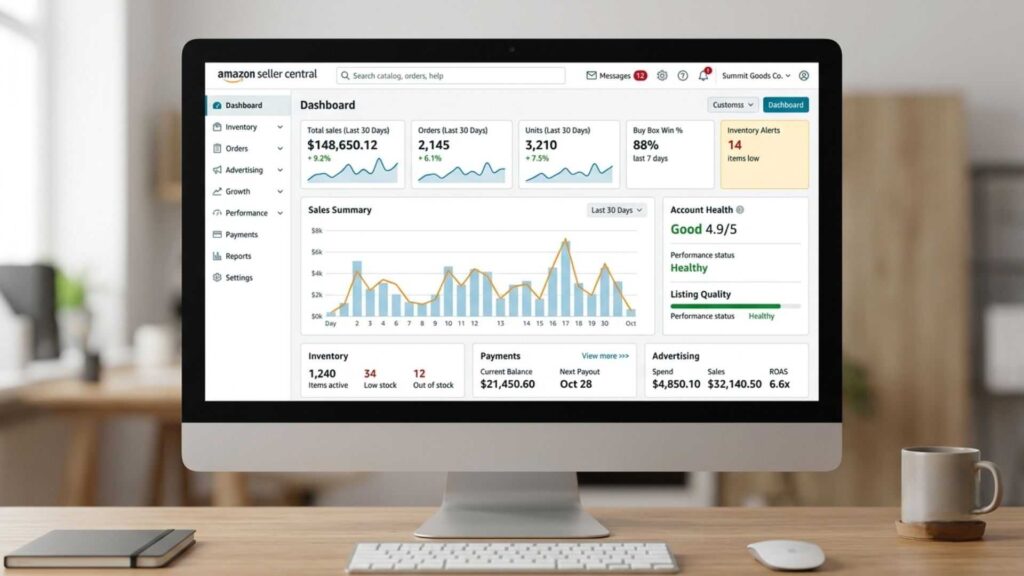
Amazon Seller Central serves as the official dashboard for third-party sellers, giving them complete control over product listings, inventory, orders, advertising, payments, and overall business performance from one place. Think of it as the control center for your Amazon business. Every important activity—from uploading products to analyzing sales reports—takes place inside this platform.
Instead of simply listing products on Amazon, Seller Central gives you complete control over your store. You decide what to sell, set your own prices, optimize product listings, manage inventory levels, launch promotions, and monitor customer satisfaction.
Unlike traditional retail, where products are sold through physical stores, Amazon Seller Central allows you to operate a business from virtually anywhere. As long as you have internet access, you can manage your products, review sales, respond to customer messages, and make important business decisions.
For example, imagine you’re selling kitchen accessories. After logging into Seller Central, you can:
- Add a new product listing with optimized titles, bullet points, and images.
- Monitor inventory levels to avoid running out of stock.
- Track daily sales and revenue.
- Launch Amazon PPC campaigns to increase visibility.
- Review customer feedback and ratings.
- Process returns and refunds.
- Analyze performance reports to improve future sales.
Everything is organized within a single dashboard, making it easier to run your business efficiently.
If you’re planning to source branded products from authorized suppliers, understanding Amazon Wholesale FBA is the next step. Read our What Is Amazon Wholesale FBA? The Ultimate Beginner’s Guide to learn how wholesale selling works, how to find suppliers, and how to build a scalable Amazon business.
Who Should Use Amazon Seller Central?
One of the biggest advantages of Amazon Seller Central is that it’s suitable for businesses of all sizes. Whether you’re just starting or already managing thousands of products, the platform scales with your business.
Seller Central is ideal for:
New Entrepreneurs
If you’re launching your first online business, Seller Central provides all the tools needed to start selling without building your own eCommerce website.
Small Businesses
Local retailers and small brands can reach millions of Amazon shoppers without investing heavily in marketing or infrastructure.
Private Label Brands
Businesses creating their own branded products can use Seller Central to build brand recognition, optimize listings, and increase long-term profitability.
Wholesale Sellers
Companies purchasing products in bulk from manufacturers can manage large inventories and multiple product listings efficiently.
Manufacturers
Manufacturers can sell directly to customers, increasing profit margins while maintaining greater control over pricing and branding.
Established eCommerce Businesses
Brands already selling through Shopify, WooCommerce, or other platforms often expand to Amazon Seller Central to reach a much larger audience. Regardless of your business model, Seller Central provides the flexibility needed to grow at your own pace.
Why Amazon Seller Central Is Important
Many new sellers assume Amazon simply acts as a marketplace where products are listed and sold automatically. In reality, successful selling requires ongoing management, optimization, and data-driven decision-making. Amazon Seller Central makes this possible by giving sellers complete visibility into their business.
With Seller Central, you can:
- Manage products from one centralized dashboard.
- Track sales and customer behaviour in real time.
- Monitor inventory before products go out of stock.
- Improve product visibility through advertising.
- Analyze reports to identify growth opportunities.
- Handle customer communication professionally.
- Scale your business across multiple Amazon marketplaces.
Without Seller Central, managing an Amazon business would be nearly impossible.
How Amazon Seller Central Works
Now that you understand what Amazon Seller Central is, the next question is: How does it actually work?
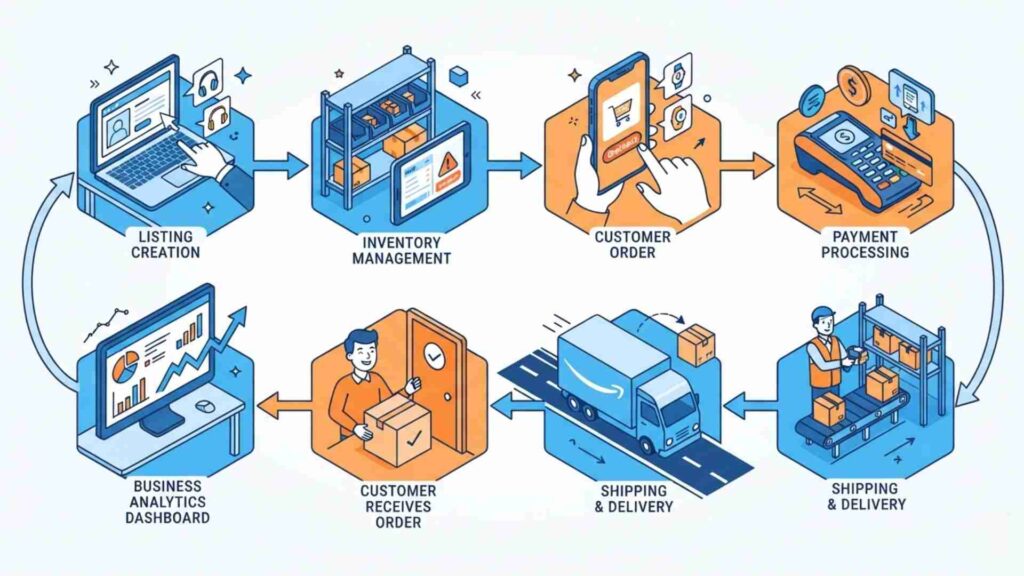
Amazon Seller Central follows a simple workflow. Once your seller account is approved, every stage of your business from listing products to receiving payments is managed through a single dashboard.
Amazon Seller Central combines all the essential business tools into one dashboard, allowing sellers to handle products, inventory, customer orders, advertising, and account performance without relying on separate platforms. This makes it easier to monitor your business, improve efficiency, and make data-driven decisions.
Below is a step-by-step overview of how the platform works.
Step 1: Create Your Seller Account
The journey begins by registering for an Amazon Seller account.
During registration, Amazon asks for:
- Business or personal information
- Government-issued ID
- Bank account details
- Credit card information
- Tax information
- Phone number for verification
Once your identity is verified, you’ll gain access to the Seller Central dashboard.
Expert Insight: While beginners can start with the Individual plan, most serious sellers eventually switch to the Professional Seller Plan to access advanced tools that simplify product management, support advertising campaigns, and provide deeper business insights.
Step 2: List Your Products
After creating your account, the next step is adding products. If the product already exists on Amazon, you simply join the existing listing by entering the product’s ASIN.
If you’re launching your own brand or a new product, you’ll create a brand-new listing that includes:
- Product title
- Images
- Bullet points
- Product description
- Search keywords
- Category selection
- Price
- Inventory quantity
A well-optimized listing improves visibility and increases the chances of converting visitors into buyers. This is why many successful sellers invest in Amazon product listing optimization services to maximize their rankings and sales.
Step 3: Manage Inventory
Inventory management is one of the most important responsibilities inside Amazon Seller Central.
The dashboard allows you to:
- View available stock
- Monitor inventory levels
- Receive low-stock alerts
- Update product quantities
- Track inbound shipments
- Prevent stockouts
Running out of inventory can negatively impact your rankings, Buy Box eligibility, and overall sales performance. Keeping inventory healthy is essential for long-term success.
Step 4: Receive and Process Orders
When a customer purchases your product, Amazon immediately notifies you through Seller Central.
The fulfillment process depends on your chosen business model.
If You Use FBA (Fulfillment by Amazon)
Amazon handles:
- Warehousing
- Packing
- Shipping
- Customer service
- Returns
- Refunds
This option is ideal for sellers who want to scale their business without managing logistics.
If You Use FBM (Fulfilled by Merchant)
You are responsible for:
- Packing orders
- Shipping products
- Handling returns
- Responding to customers
- Managing delivery timelines
We’ll compare FBA Seller Central and FBM Seller Central in detail later in this guide.
Step 5: Receive Payments
Amazon collects customer payments and transfers your earnings directly to your registered bank account after deducting:
- Referral fees
- Fulfillment fees (if using FBA)
- Advertising costs
- Subscription fees (if applicable)
Seller Central also provides detailed payment reports so you can easily track:
- Revenue
- Refunds
- Fees
- Profitability
Step 6: Monitor Business Performance
One of the biggest strengths of Amazon Seller Central is its analytics. Instead of guessing what’s working, sellers can monitor key performance metrics in real time.
Important reports include:
- Total sales
- Units sold
- Conversion rate
- Traffic
- Advertising performance
- Inventory health
- Customer feedback
- Return rate
- Account health
These insights help sellers identify opportunities, fix problems quickly, and make informed business decisions.
Key Features of Amazon Seller Central

Amazon Seller Central isn’t just a dashboard it’s a complete business management platform. Let’s explore the features that make it an essential tool for every Amazon seller.
Product Listing Management
Creating a product listing is only the beginning.
Seller Central allows you to:
- Edit titles
- Update descriptions
- Add new images
- Improve bullet points
- Adjust pricing
- Manage variations
- Optimize backend search terms
Regular optimization helps products remain competitive as customer behavior and Amazon’s algorithm evolve.
Inventory Management
Effective inventory management prevents lost sales and unnecessary storage costs.
Seller Central provides tools to:
- Track stock levels
- Forecast inventory needs
- Monitor aging inventory
- Manage warehouse shipments
- Identify slow-moving products
Healthy inventory management contributes to better customer satisfaction and improved account performance.
As your product catalog grows, managing inventory manually becomes more challenging. Professional Amazon Account Management Services can help streamline inventory tracking, reduce stockouts, and improve overall account performance.
Order Management
Every customer order can be monitored from a centralized location.
You’ll be able to:
- View new orders
- Confirm shipments
- Process refunds
- Handle cancellations
- Track deliveries
- Manage customer communication
This organized workflow helps maintain a smooth buying experience.
Advertising Dashboard
Amazon advertising is one of the fastest ways to increase product visibility.
Inside Seller Central, you can create:
- Sponsored Products
- Sponsored Brands
- Sponsored Display campaigns
You can also monitor impressions, clicks, conversions, advertising cost of sales (ACoS), and return on ad spend (ROAS).
A well-planned Amazon PPC campaign strategy allows sellers to increase sales while controlling advertising costs.
Running successful Amazon ads requires more than just launching campaigns. Expert Amazon PPC Management Services can help optimize keywords, bidding strategies, and ad performance to maximize your return on ad spend.
Business Reports and Analytics
Successful Amazon sellers rely on data—not assumptions.
Seller Central provides valuable reports covering:
- Sales trends
- Customer behavior
- Traffic sources
- Inventory performance
- Advertising results
- Profitability
Reviewing these reports regularly helps identify what’s driving growth and where improvements are needed.
Customer Communication
Building trust is essential for long-term success.
Seller Central allows sellers to:
- Respond to buyer messages
- Resolve customer concerns
- Handle returns professionally
- Monitor reviews and feedback
- Improve customer satisfaction
Fast and professional communication often leads to better ratings and repeat purchases.
Performance Dashboard
Amazon closely monitors seller performance.
Your dashboard includes important account health metrics such as:
- Order Defect Rate (ODR)
- Late Shipment Rate
- Valid Tracking Rate
- Cancellation Rate
- Customer Service Performance
Maintaining healthy metrics reduces the risk of account suspension and helps build buyer confidence.
Why Learning Seller Central Is Essential
Many beginners think success on Amazon depends only on finding a winning product. In reality, long-term growth comes from understanding how to use Seller Central effectively.
Experienced sellers continuously:
- Improve product listings
- Analyze business reports
- Monitor inventory
- Optimize advertising
- Conduct Amazon product hunting for new opportunities
- Use Amazon keyword tracking tools to discover profitable search terms
- Adjust pricing based on market trends
The better you understand Seller Central, the easier it becomes to make informed decisions that drive consistent sales.
Amazon Seller Central vs Vendor Central
One of the most common questions beginners ask after learning what Amazon Seller Central is is:
“What’s the difference between Amazon Seller Central and Vendor Central?”
Although both platforms are part of Amazon’s ecosystem, they serve completely different business models.
The easiest way to understand the difference is this:
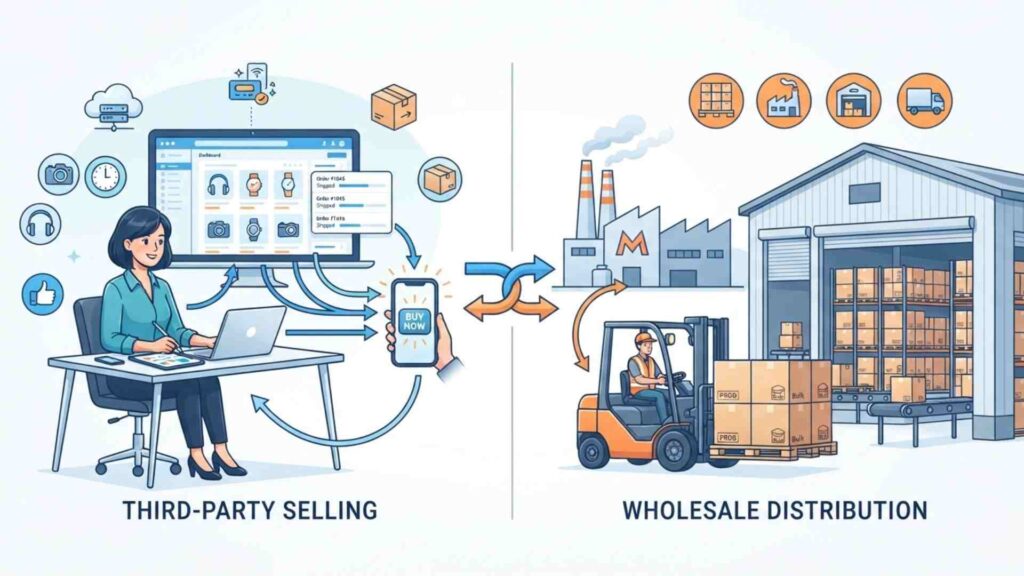
- Seller Central lets you sell products directly to customers on Amazon.
- Vendor Central allows manufacturers and large brands to sell products wholesale to Amazon, which then resells them to customers.
In other words, with Seller Central, you are the seller. With Vendor Central, Amazon becomes the seller. For most entrepreneurs, private label brands, wholesalers, and small businesses, Amazon Seller Central is the preferred and most accessible option because anyone can register and start selling after approval.
Every business has different goals and operational requirements. Our Amazon Seller Account Management Services support third-party sellers using Seller Central, while our Amazon Vendor Account Management Services are designed for brands selling directly to Amazon.
What Is Amazon Vendor Central?
Amazon Vendor Central is an invitation-only platform designed for manufacturers, distributors, and well-established brands. Instead of selling products directly to customers, vendors sell inventory in bulk to Amazon through purchase orders.
Amazon then takes responsibility for:
- Pricing
- Warehousing
- Shipping
- Customer service
- Returns
- Product sales
This wholesale model is very different from Seller Central, where sellers have much greater control over their business.
Amazon Seller Central vs Vendor Central: Comparison Table
| Feature | Seller Central | Vendor Central |
|---|---|---|
| Who Can Join? | Anyone who meets Amazon’s requirements | Invitation only |
| Business Model | Third-party seller (3P) | First-party vendor (1P) |
| Inventory Ownership | Seller owns inventory | Amazon purchases inventory |
| Pricing Control | Seller sets prices | Amazon controls pricing |
| Advertising | Full advertising control | Limited options depending on programs |
| Profit Margin | Usually higher | Lower due to wholesale pricing |
| Customer Relationship | Direct | Amazon manages customers |
| Payment | Amazon pays seller after sales | Amazon pays vendor for purchase orders |
| Best For | Entrepreneurs, brands, wholesalers | Large manufacturers and national brands |
Which Platform Is Better?
For most businesses, Seller Central is the better choice.
It offers:
- Greater pricing flexibility
- Higher profit potential
- Better inventory control
- More advertising options
- Faster product launches
- Complete access to performance data
Vendor Central may be suitable for large manufacturers that prefer selling in bulk rather than managing individual customer orders.
If you’re just starting your Amazon journey, Seller Central is almost always the right place to begin.
Seller Central Advantages Over Vendor Central
Many successful Amazon businesses choose Seller Central because it provides greater control over every aspect of the business.
Some of the biggest advantages include:
Full Control Over Pricing
One of the biggest advantages of Seller Central is pricing flexibility. Sellers can review and update their prices whenever market conditions change, making it easier to protect profit margins while remaining competitive.
Better Profit Margins
Since you’re selling directly to customers instead of wholesaling products to Amazon, your profit margins are often significantly higher.
Complete Brand Control
Seller Central allows you to:
- Optimize product listings
- Update images
- Improve descriptions
- Run promotions
- Launch new products whenever you choose
Flexible Advertising
Seller Central gives access to powerful advertising tools, allowing sellers to create campaigns based on their goals and budgets.
Business Insights
Detailed analytics help sellers understand:
- Sales trends
- Customer behavior
- Advertising performance
- Inventory health
- Profitability
These insights make it easier to scale your business strategically.
Individual vs Professional Seller Account
When registering for Amazon Seller Central, you’ll need to choose between two account types:
- Individual Seller Account
- Professional Seller Account
Choosing the right option depends on your selling goals, expected sales volume, and business plans.
Individual Seller Account
The Individual plan is designed for people who sell occasionally or are testing the Amazon marketplace.
Best For
- Beginners
- Hobby sellers
- Casual sellers
- Low sales volume
Benefits
- No monthly subscription fee
- Easy to get started
- Suitable for testing products
Limitations
- Fee charged per item sold
- Limited access to advanced selling tools
- No bulk listing features
- Restricted advertising capabilities
- Fewer reporting options
If you’re only selling a handful of products each month, the Individual plan may be enough.
Professional Seller Account
The Professional plan is designed for businesses aiming to grow and scale. Most successful Amazon sellers choose this option because it unlocks advanced features that aren’t available with the Individual account.
Best For
- Growing businesses
- Private label brands
- Wholesale sellers
- Agencies managing client accounts
- High-volume sellers
Benefits
- Unlimited product listings
- Bulk inventory management
- Advanced business reports
- Amazon advertising access
- Brand-building tools
- Eligibility for the Buy Box
- Better automation features
If your goal is to build a long-term Amazon business, the Professional plan is the smarter investment.
Which Account Should You Choose?
Here’s a simple guideline:
Choose an Individual Account if:
- You’re selling fewer products.
- You want to learn how Amazon works.
- You’re testing a new business idea.
- You don’t need advanced selling features yet.
Choose a Professional Account if:
- You plan to grow your business.
- You want to run Amazon PPC campaigns.
- You’re building a private label brand.
- You expect regular monthly sales.
- You need access to advanced reports and automation tools.
For most serious sellers, the Professional account provides better long-term value and greater growth opportunities.
Can Agencies Manage Amazon Seller Accounts?
Absolutely.
As businesses grow, managing listings, advertising, inventory, customer service, and account health becomes increasingly time-consuming.
This is why many brands partner with agencies offering Amazon seller and vendor full account management services.
A professional team can assist with:
- Product listing optimization
- Inventory management
- PPC campaign management
- Performance monitoring
- Account health maintenance
- Catalog management
- Sales growth strategies
Outsourcing these tasks allows business owners to focus on sourcing products, expanding their brand, and increasing revenue.
FBA Seller Central vs FBM Seller Central
Once you’ve created your Amazon Seller Central account, one of the most important decisions you’ll make is how your orders will be fulfilled.
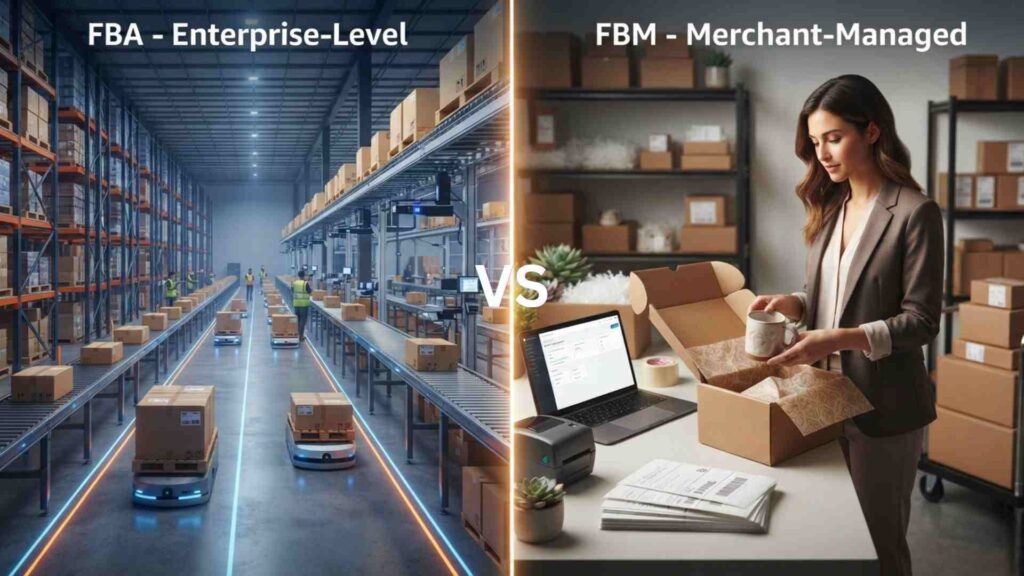
Amazon offers two primary fulfillment methods:
- FBA (Fulfillment by Amazon)
- FBM (Fulfilled by Merchant)
Both options have their own advantages, costs, and ideal use cases. Choosing the right one depends on your business goals, product type, budget, and operational capacity.
Let’s explore each option in detail.
What Is FBA Seller Central?
FBA (Fulfillment by Amazon) is a service where Amazon stores your products in its fulfillment centers and takes care of almost the entire order fulfillment process.
When a customer places an order, Amazon:
- Picks the product from its warehouse
- Packs it securely
- Ships it to the customer
- Handles customer service
- Processes returns and refunds
As a seller, your primary responsibilities are sourcing products, sending inventory to Amazon warehouses, and growing your business.
This model is ideal for sellers who want to scale without managing day-to-day logistics.
Benefits of FBA Seller Central
- Fast Prime shipping
- Higher chances of winning the Buy Box
- Amazon handles customer support
- Easy business scalability
- Time-saving order fulfillment
- Greater customer trust
Challenges of FBA
- Storage fees
- Fulfillment fees
- Inventory planning is critical
- Long-term storage costs for slow-moving products
What Is FBM Seller Central?
FBM (Fulfilled by Merchant) means you manage the entire fulfillment process yourself. Instead of sending products to Amazon’s warehouses, you store inventory at your own location or with a third-party warehouse.
When an order is placed, you are responsible for:
- Picking and packing products
- Shipping orders
- Providing tracking information
- Managing returns
- Handling customer inquiries
FBM offers greater control but also requires more operational effort.
Benefits of FBM Seller Central
- Lower storage costs
- Complete control over inventory
- Greater flexibility in packaging
- Better suited for oversized or customized products
- No FBA fulfillment fees
Challenges of FBM
- More time-consuming
- You manage customer service
- Shipping delays can affect account health
- Harder to qualify for Prime unless enrolled in Seller Fulfilled Prime
Choosing between FBA and FBM can have a significant impact on your profitability and daily operations. For a detailed comparison of both fulfillment models, explore our Amazon FBA vs FBM guide and discover which option is best suited to your business goals.
FBA Seller Central vs FBM Seller Central Comparison
| Feature | FBA | FBM |
|---|---|---|
| Inventory Storage | Amazon Warehouses | Seller’s Warehouse |
| Order Packing | Amazon | Seller |
| Shipping | Amazon | Seller |
| Customer Service | Amazon | Seller |
| Returns Handling | Amazon | Seller |
| Prime Eligibility | Yes | Limited (Seller Fulfilled Prime) |
| Scalability | High | Moderate |
| Upfront Logistics | Low | High |
| Operational Control | Moderate | High |
Which Fulfillment Method Should You Choose?
There isn’t a one-size-fits-all answer. The right choice depends on your business model.
Choose FBA if:
- You want to automate fulfillment.
- You’re planning to scale quickly.
- Your products sell consistently.
- You want Prime eligibility.
- You don’t have your own warehouse.
Choose FBM if:
- You already have storage facilities.
- You sell oversized products.
- You manufacture products on demand.
- You want complete control over shipping.
- Your inventory changes frequently.
Many experienced sellers actually use both FBA and FBM together to maximize flexibility and reduce business risks.
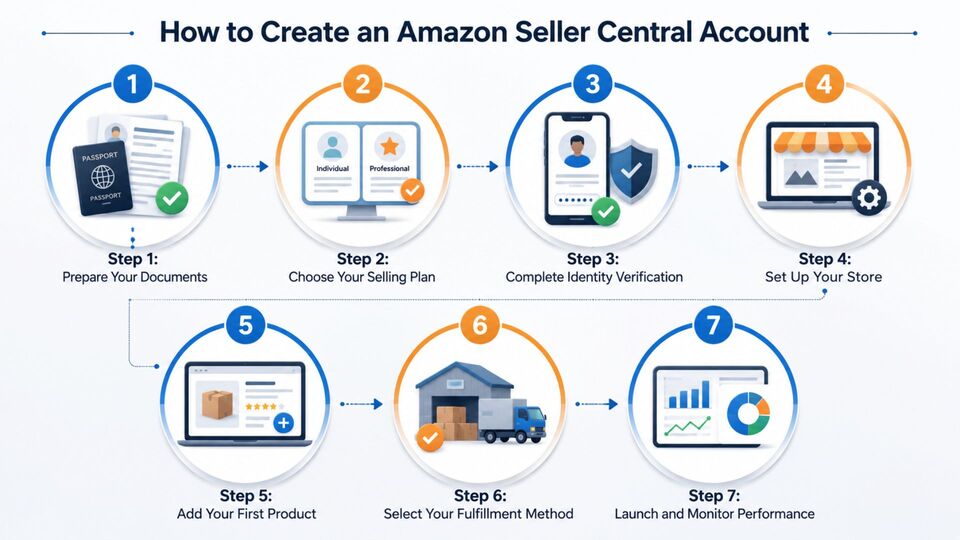
How to Create an Amazon Seller Central Account
Creating an Amazon Seller Central account is straightforward, but providing accurate information is essential for smooth approval.
Follow these steps to get started.
Step 1: Prepare Your Documents
Before registering, keep the following documents ready:
- Government-issued photo ID
- Business name (if applicable)
- Active email address
- Phone number
- Credit card
- Bank account details
- Tax information
- Proof of address (if requested)
Having everything prepared speeds up the verification process.
Step 2: Choose Your Selling Plan
During registration, Amazon will ask you to select one of two plans:
- Individual Seller Plan
- Professional Seller Plan
If you’re serious about building a long-term business, the Professional plan is generally the better choice because it provides access to advanced selling tools and advertising features.
Step 3: Complete Identity Verification
Amazon verifies every seller to protect customers and maintain marketplace trust.
You may be asked to:
- Upload identification documents
- Confirm your address
- Verify your phone number
- Complete a video verification (in some regions)
Ensure that all information matches your official documents to avoid delays.
Step 4: Set Up Your Store
Once your account is approved, it’s time to configure your seller profile.
This includes:
- Store name
- Business information
- Return address
- Shipping settings
- Tax settings
- Payment preferences
A complete and professional profile builds customer confidence.
Step 5: Add Your First Product
Now you can create your first listing.
Include:
- Keyword-rich product title
- High-quality images
- Clear bullet points
- Detailed product description
- Accurate product category
- Competitive pricing
- Relevant search terms
A well-optimized listing improves visibility and increases your chances of generating sales.
Step 6: Select Your Fulfillment Method
Before your product goes live, decide whether you’ll use:
- FBA
- FBM
Amazon will guide you through the necessary setup based on your choice.
Step 7: Launch and Monitor Performance
Once your listing is active, your work is just beginning.
Successful sellers regularly monitor:
- Sales performance
- Inventory levels
- Customer reviews
- Advertising campaigns
- Pricing
- Account health
- Business reports
Successful Amazon businesses are built through consistent monitoring and informed decision-making. Regularly optimizing listings, pricing, inventory, and advertising helps sellers adapt to market changes and drive steady growth.
Once your account is ready, the next step is launching your products successfully. Our How to Sell on Amazon guide walks you through product research, listing creation, pricing, and strategies for getting your first sales.
Common Mistakes New Sellers Should Avoid
Many beginners make avoidable mistakes during account setup and product launch.
Here are some of the most common ones:
Incomplete Documentation
Missing or inaccurate documents can delay account approval.
Poor Product Listings
Low-quality images, weak titles, and vague descriptions reduce visibility and conversions.
Ignoring Inventory Planning
Running out of stock can negatively impact rankings and customer trust.
Incorrect Pricing
Pricing too high may reduce sales, while pricing too low can hurt profitability.
Skipping Product Research
Launching products without validating demand often leads to slow sales and excess inventory.
Neglecting Account Health
Ignoring customer messages, late shipments, or policy warnings can put your seller account at risk. Avoiding these mistakes early can save both time and money.
Why You Need Amazon Seller Central Management Software
As your Amazon business grows, managing everything manually becomes increasingly difficult.
At first, you might only have a few products, making it easy to update listings, monitor inventory, and track sales. But as your catalog expands, manual management can lead to mistakes, missed opportunities, and lost revenue.
This is where Amazon Seller Central management software becomes valuable.
These tools work alongside Amazon Seller Central to help sellers automate repetitive tasks, analyze business performance, discover profitable opportunities, and make smarter decisions based on real data.
Instead of replacing Seller Central, management software enhances its capabilities by providing deeper insights and advanced automation features.
Benefits of Using Amazon Seller Central Management Software
Professional Amazon sellers rely on software because it saves time while improving accuracy and efficiency.
Some of the biggest advantages include:
- Automating routine business tasks
- Monitoring sales performance in real time
- Discovering high-demand products
- Tracking keyword rankings
- Optimizing product listings
- Managing inventory more efficiently
- Improving advertising performance
- Monitoring competitors
- Increasing overall profitability
As your business scales, software becomes an investment rather than an expense.
Essential Tools Every Amazon Seller Should Use
While Amazon Seller Central provides powerful built-in features, many sellers use additional tools to gain a competitive advantage.
Here are some of the most important categories.
Product Research Tools
Choosing the right product is one of the most important decisions you’ll make.
Good product research tools help identify:
- High-demand products
- Low-competition opportunities
- Seasonal trends
- Estimated monthly sales
- Pricing history
- Profit potential
Making decisions based on data significantly reduces the risk of launching products that struggle to sell.
Amazon Keyword Tracking Tools
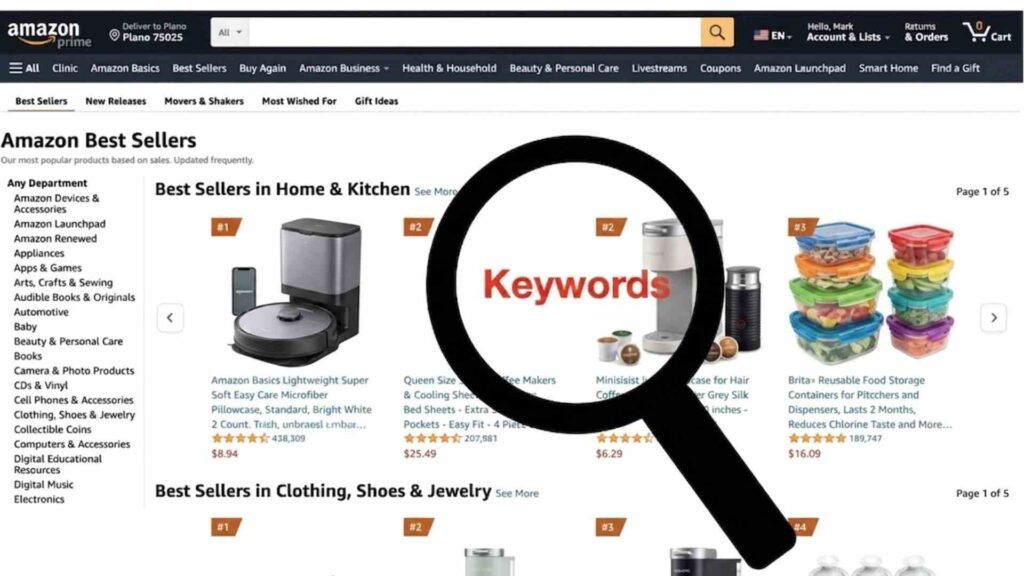
Finding keywords is only the beginning. Successful sellers also monitor how those keywords perform over time.
Amazon keyword tracking allows you to:
- Track ranking positions
- Monitor keyword movement
- Discover new search terms
- Identify ranking drops
- Measure optimization efforts
For example, if your product moves from page five to page one for an important keyword, you’ll know your optimization strategy is working. Regular keyword monitoring also helps you react quickly to changes in customer search behavior.
Amazon Product Hunting
One of the biggest mistakes new sellers make is choosing products based on personal preference rather than market demand. Amazon product hunting is the process of researching products with strong sales potential before investing in inventory.
Experienced sellers analyze factors such as:
- Monthly demand
- Competition level
- Average selling price
- Profit margins
- Customer reviews
- Product size and weight
- Market trends
The goal isn’t simply to find popular products—it’s to find products that can generate sustainable profits while remaining competitive.
Listing Optimization Tools
Even great products struggle if customers can’t find them.
Listing optimization tools help improve:
- Product titles
- Bullet points
- Product descriptions
- Backend search terms
- Images
- Keyword placement
These improvements increase product visibility and improve conversion rates. Many businesses also invest in Amazon product optimization services to ensure every listing follows Amazon SEO best practices and appeals to potential buyers.
Inventory Management Tools
Inventory issues can quickly impact your sales and account performance.
Inventory management tools help sellers:
- Forecast future demand
- Monitor stock levels
- Prevent stockouts
- Avoid excess inventory
- Track warehouse shipments
- Reduce storage costs
Maintaining healthy inventory levels ensures customers can purchase your products without interruption.
Business Analytics Tools
Data-driven decisions consistently outperform guesswork.
Advanced analytics tools help sellers understand:
- Revenue trends
- Profit margins
- Best-selling products
- Customer behavior
- Advertising performance
- Inventory turnover
By reviewing these insights regularly, sellers can identify opportunities for growth and address problems before they become costly.
Popular Amazon Seller Software
Several trusted tools are widely used within the Amazon seller community.
Some of the most popular include:
- Helium 10 – Product research, keyword tracking, listing optimization, and analytics.
- Jungle Scout – Product hunting, supplier research, and sales estimation.
- DataDive – Advanced keyword analysis and listing optimization.
- Sellerboard – Profit tracking, inventory management, and financial reporting.
- Scale Insights – PPC automation and campaign optimization.
- Perpetua – AI-powered advertising management and performance optimization.
Each tool serves a different purpose, so the best choice depends on your business goals and budget.
Built-In Features Available Inside Seller Central
Before purchasing third-party software, it’s worth exploring the tools already available in Amazon Seller Central.
The platform includes several useful features, such as:
- Business Reports
- Inventory Dashboard
- Advertising Console
- Account Health Dashboard
- Brand Analytics (for eligible sellers)
- Search Query Performance
- Customer Feedback Management
- Payment Reports
These built-in reports provide valuable insights that can help improve decision-making without additional software costs.
When Should You Invest in Amazon Optimization Services?
Not every seller has the time or expertise to manage every aspect of an Amazon business. As your store grows, it may become beneficial to work with professionals who specialize in Amazon optimization services.
These services often include:
- Product listing optimization
- Keyword research
- Catalog management
- Inventory planning
- PPC campaign optimization
- Conversion rate improvements
- Performance monitoring
By outsourcing these tasks, business owners can focus on sourcing products, expanding their brand, and serving customers.
Best Practices for Using Seller Software
To get the most value from management software, follow these best practices:
Choose Tools That Match Your Goals
Don’t pay for features you’ll never use. Start with tools that solve your biggest challenges.
Monitor Data Consistently
Software provides valuable insights only if you review reports regularly and take action.
Combine Multiple Data Sources
Compare information from Seller Central with third-party tools to make more informed decisions.
Keep Learning
Amazon’s marketplace changes constantly. Continue learning about new features, tools, and best practices to stay competitive.
Focus on Long-Term Growth
Use software to build sustainable systems rather than chasing short-term sales spikes.
When Should You Hire an Amazon Account Management Agency?
Running an Amazon business may seem straightforward when you have only a few products. However, as your catalog grows, so do the challenges. Managing listings, inventory, advertising, customer service, pricing, and account health can quickly become a full-time job. This is why many successful brands work with an experienced Amazon account management agency.
Instead of spending hours on daily operations, you can rely on experts who understand Amazon’s policies, algorithm updates, and marketplace best practices. Hiring professionals doesn’t replace your involvement it gives you the support needed to scale your business more efficiently.
What Does an Amazon Account Management Agency Do?
A professional agency manages the day-to-day activities required to keep your Amazon business growing.
Typical services include:
- Product listing creation and optimization
- Inventory management
- Catalog management
- Amazon PPC management
- Keyword research
- Sales performance monitoring
- Account health management
- Competitor analysis
- Pricing strategy
- Performance reporting
The goal is to improve visibility, increase conversions, and maximize long-term profitability.
Amazon Seller and Vendor Full Account Management Services
Whether you sell through Seller Central or Vendor Central, managing an account requires consistent attention. Many agencies provide Amazon seller and vendor full account management services, which often include:
Account Setup
Helping new sellers create and configure their Amazon account correctly.
Product Listing Management
Creating SEO-friendly listings with optimized titles, bullet points, descriptions, images, and backend keywords.
Inventory Planning
Monitoring inventory levels to reduce stockouts and avoid excessive storage fees.
PPC Campaign Management
Planning, launching, monitoring, and optimizing advertising campaigns to improve return on investment.
Performance Monitoring
Tracking account health metrics, customer feedback, and sales trends to identify opportunities for improvement.
Growth Strategy
Developing long-term plans to expand into new product categories, marketplaces, or international regions.
Why Product Listing Optimization Matters
Creating a listing is only the beginning. To succeed on Amazon, your products must be easy to find and convincing enough to convert visitors into buyers. This is where Amazon product listing optimization services become valuable.
A professionally optimized listing typically includes:
- Keyword-rich product title
- Clear and benefit-focused bullet points
- Detailed product description
- High-quality lifestyle and infographic images
- Relevant backend search terms
- Correct category placement
- Competitive pricing strategy
Well-optimized listings improve both search visibility and conversion rates, helping you generate more sales without increasing advertising costs.

Building an Effective Amazon PPC Campaign Strategy
Amazon PPC (Pay-Per-Click) advertising is one of the fastest ways to increase product visibility, especially for new listings. However, running ads without a clear plan can lead to wasted budget and poor results.
A successful Amazon PPC campaign strategy usually includes:
Start With Automatic Campaigns
Automatic campaigns help identify search terms customers actually use.
Analyze Search Term Reports
Review reports regularly to find profitable keywords and remove irrelevant ones.
Create Manual Campaigns
Once you identify high-performing keywords, move them into manual campaigns for greater control.
Use Negative Keywords
Exclude irrelevant search terms to reduce wasted ad spend.
Optimize Bids Regularly
Adjust keyword bids based on performance instead of using a fixed strategy.
Monitor Key Metrics
Track important PPC metrics such as:
- Impressions
- Click-through rate (CTR)
- Conversion rate
- Advertising Cost of Sales (ACoS)
- Return on Ad Spend (ROAS)
Consistent optimization is the key to long-term advertising success.
Why Work With a Seller Central Marketing Agency?
As competition increases, many businesses partner with a Seller Central marketing agency to accelerate growth.
These agencies combine expertise in:
- Amazon SEO
- PPC advertising
- Conversion rate optimization
- Brand strategy
- Catalog management
- Competitor research
- Analytics and reporting
Working with specialists allows you to focus on growing your business while experienced professionals handle the technical aspects of Amazon selling.

Best Practices for Long-Term Success
Regardless of whether you’re a beginner or an experienced seller, following proven best practices can help you build a sustainable Amazon business.
Conduct Thorough Product Research
Choose products based on market demand and profitability rather than personal preference.
Optimize Every Listing
Keep titles, descriptions, images, and keywords updated to remain competitive.
Monitor Inventory
Avoid stockouts by forecasting demand and replenishing inventory on time.
Focus on Customer Experience
Respond to customer messages promptly, resolve issues professionally, and maintain high seller performance metrics.
Review Business Reports Regularly
Use Seller Central reports to identify trends, improve decision-making, and refine your growth strategy.
Stay Updated
Amazon frequently updates its policies and algorithms. Keeping up with these changes helps protect your account and maintain strong performance.
Frequently Asked Questions
1. What is Amazon Seller Central?
Amazon Seller Central is the official platform where third-party sellers manage their Amazon business. It allows users to create listings, manage inventory, process orders, run advertising campaigns, monitor sales, and receive payments.
2. Is Amazon Seller Central free?
Creating an account is free, but sellers may pay subscription fees, referral fees, fulfillment fees (for FBA), and advertising costs depending on the services they use.
3. Can beginners use Amazon Seller Central?
Yes. Amazon Seller Central is designed for both beginners and experienced businesses. With the right product research and optimization, new sellers can successfully build an Amazon business.
4. What is the difference between Seller Central and Vendor Central?
Seller Central is for third-party sellers who sell directly to customers, while Vendor Central is an invitation-only platform where manufacturers and brands sell products wholesale to Amazon.
5. Which is better FBA or FBM?
It depends on your business model. FBA offers convenience and scalability, while FBM provides greater control over storage, shipping, and fulfillment.
6. Do I need software to use Amazon Seller Central?
No. Seller Central includes many built-in tools. However, advanced software can improve keyword research, product analysis, inventory management, and advertising optimization.
7. Can an agency manage my Amazon account?
Yes. Many businesses work with professional agencies that provide account management, listing optimization, advertising management, inventory planning, and business growth strategies.